Workflows
Workflows (also called slash commands in the new extension) automate repetitive tasks by defining step-by-step instructions for Kilo Code to execute.
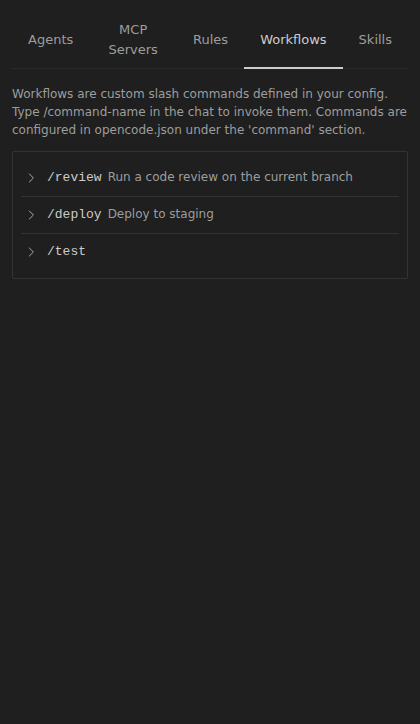
Creating Workflows
Workflows are Markdown files stored as slash commands in .kilo/commands/:
- Global commands:
~/.config/kilo/commands/(available in all projects) - Project commands:
[project]/.kilo/commands/(project-specific)
If .kilo/commands/ is a symlink to a directory outside the project, allow that exact source in your global ~/.config/kilo/kilo.jsonc:
{
  "permission": {
    "markdown_source": {
      "/path/to/shared/commands/*": "allow"
    }
  }
}
Project configuration cannot grant this permission. External command files remain untrusted: {env:...} substitutions are blocked and {file:...} substitutions remain confined to the project.
Basic Setup
- Create a
.mdfile with step-by-step instructions - Save it in your commands directory
- Type
/command-namein the chat (just the filename without.mdextension) to execute
For example, a file at .kilo/commands/submit-pr.md is invoked with /submit-pr.
Optional Frontmatter
Command files can include YAML frontmatter:
---
description: Submit a pull request with checks
agent: code
---

You are helping submit a pull request...
| Field | Description |
|---|---|
description | Shown in the command picker |
agent | Which agent to use when invoking this command |
model | Model override for this command |
variant | Reasoning effort variant override (for example low or high), for models that support variants |
subtask | When true, runs as a sub-agent session |
Reserved Names
goal is reserved for session goals. A command named goal in your config or from a plugin is ignored under that name — Kilo reports a configuration warning and keeps /goal for its own command, but the command you defined is still reachable as /goal:command, the same way a skill that collides with a command is offered as /name:skill.
Model and Reasoning Variant
Each workflow can run with its own model and reasoning effort variant. In the VS Code extension, open Settings → Agent Behaviour → Workflows, expand a workflow, and choose a model and variant. The selection is saved as a command override in your global config, so the workflow's template file stays unchanged.
You can also set model and variant in the command's frontmatter or in the command section of kilo.jsonc. A variant only applies when the selected model supports it — picking a different model clears a variant the new model does not offer.
Workflow Capabilities
Workflows can leverage all built-in tools: read, glob, grep, edit, write, bash, webfetch, and MCP server tools.
Migration from Legacy Workflows
The new extension automatically migrates legacy workflows from .kilocode/workflows/ to the new command format on startup. You can also manually move files and remove the .md extension from invocations.
Common Workflow Patterns
Release Management
1. Gather merged PRs since last release
2. Generate changelog from commit messages
3. Update version numbers
4. Create release branch and tag
5. Deploy to staging environment
Project Setup
1. Clone repository template
2. Install dependencies (`npm install`, `pip install -r requirements.txt`)
3. Configure environment files
4. Initialize database/services
5. Run initial tests
Code Review Preparation
1. Search for TODO comments and debug statements
2. Run linting and formatting
3. Execute test suite
4. Generate PR description from recent commits
Example: PR Submission Workflow
Let's walk through creating a workflow for submitting a pull request.
Create a file called submit-pr.md in your .kilo/commands directory:
---
description: Submit a pull request with full checks
---

# Submit PR Workflow

You are helping submit a pull request. Follow these steps:

1. First, use `grep` to check for any TODO comments or console.log statements that shouldn't be committed
2. Run tests using `bash` with `npm test` or the appropriate test command
3. If tests pass, stage and commit changes with a descriptive commit message
4. Push the branch and create a pull request using `bash` with `gh pr create`
5. Use `question` to get the PR title and description from the user

Parameters needed (ask if not provided):

- Branch name
- Reviewers to assign
Trigger this workflow by typing /submit-pr in the chat.
Kilo Code will:
- Scan your code for common issues before committing
- Run your test suite to catch problems early
- Handle the Git operations and PR creation
- Set up follow-up tasks for deployment
This saves you from manually running the same steps every time you want to submit code for review.