
TL;DR
- Most professional teams now run two or three specialized agents at once: a terminal agent for refactors, an IDE agent for daily flow, and an optional cloud delegate for asynchronous work.
- Adoption climbed to 84% in 2025 while trust dropped to 29%. The 2026 buying decision turns on governance and pricing predictability, not feature lists.
- Open-source BYOK agents (Kilo Code, Cline, OpenCode, pi.dev) now sit alongside the commercial leaders as primary picks rather than experiments, especially when teams need open-weight, free hosted, or local coding model options.
Agentic coding in 2026: what changed
The agent market consolidated quickly through 2025 and 2026. In July 2025, Cognition Labs acquired Windsurf, formerly known as Codeium. The acquisition placed Cognition's cloud agent, Devin, and the Windsurf IDE agent under one vendor. In April 2026, SpaceX (which had earlier merged xAI into the company) signed a $10 billion collaboration with Anysphere that gives Cursor access to xAI's Colossus infrastructure, plus a $60 billion option to acquire Anysphere outright later in the year.
In 2025, 84% of professional developers reported using AI coding tools at least monthly, up from 76% in 2024. Trust moved in the opposite direction: 29% of respondents trusted accuracy (down from 40% in prior years), and 46% actively distrusted agent-generated output. Despite the trust gap, engineers rely on agents to scaffold features and refactor legacy code while staying alert to the technical debt and security regressions an unsupervised agent can introduce.
Most professional developers now run two or three specialized agents concurrently. A terminal agent handles deep codebase indexing and architectural refactors. An IDE agent takes over for real-time editing flow and localized logic. A cloud delegate, when needed, runs backlog work in a sandboxed virtual machine while the engineer focuses elsewhere. A single-tool stack forces every workload through a single shape, sacrificing performance at the seams between jobs.
The agent architecture itself has matured. Plan-act-verify loops have replaced instruction-tuned autocomplete: the agent reasons about a problem, formulates a plan, executes shell commands, parses error logs, and iterates until the tests pass. Tool-call sandboxing and the Model Context Protocol allow agents to access local file systems, internal databases, and external APIs. A parallel BYOK approach enabled teams to swap foundation models per task rather than locking into a single SaaS vendor's stack.
Selecting an AI coding agent in 2026 is no longer a question of which model reasons best. The decision turns on architecture: how the agent fits an existing pipeline, how it handles governance, and how its pricing behaves under real workloads. Vendor consolidation has sharpened the lock-in question: when an AI-native IDE or a cloud agent changes hands, pricing and roadmap risk follow. Model-neutral BYOK platforms, led by Kilo Code, hedge that risk by separating the agent layer from any single model vendor.
Quick comparison
Claude Code is the leader for terminal-native refactors. Cursor is the safest pick as a daily IDE driver. Cognition's pairing of Windsurf and Devin works best when a team needs both an AI-native IDE and a delegated cloud agent under the same vendor. Copilot Agent HQ is the right answer for teams already deep inside GitHub's PR loop. Kilo Code leads the open-source field for teams that want cost control, model neutrality, and JetBrains coverage without IDE migration.
| Tool | Best for | Starting price | Key strength | Surface |
|---|---|---|---|---|
| Claude Code | Terminal-first refactors | $20/mo (Anthropic Pro) | Multi-file architectural reasoning | Terminal, VS Code, JetBrains, web |
| Cursor | Daily IDE driver | $20/mo (Pro) | Multi-file Composer | Forked VS Code IDE |
| Windsurf (Cognition) | AI-native IDE flow | $20/mo (Pro) | Cascade agent | Forked VS Code IDE |
| Devin (Cognition) | Delegated cloud execution | ~$500/mo (Team) plus ACU | Most autonomous cloud agent | Web (sandboxed VM) |
| Copilot Agent HQ | GitHub-native teams | $19/user/mo (Business) | Multi-agent orchestration | GitHub, VS Code, JetBrains |
| Gemini Code Assist | GCP and Android Studio | $19/user/mo (Standard, annual) | GCP and Android integration | VS Code, JetBrains, Android Studio |
| Amazon Q Developer | AWS infrastructure | $19/user/mo (Pro) | IAM, Lambda, and CDK depth | VS Code, JetBrains, AWS Console |
| Kilo Code | Open-source, model-agnostic platform | Free (BYOK) or $15/user/mo (Teams) | Open-source, 500+ models, BYOK | VS Code, JetBrains, CLI |
| Cline | OSS VS Code agent plus MCP | Free plus your model API | 5M+ installs, native MCP | VS Code |
| OpenCode | Terminal-based patch verification | Free plus your model API | Go-based TUI, AST-aware patches | Terminal (TUI) |
| pi.dev | Air-gapped, self-hosted | Free plus your model API | Zero-MCP, fully auditable | CLI (self-host) |
Pricing approximate as of early 2026. Confirm current tiers with each vendor.
How we evaluated these tools
The shortlist spans four architectural categories: AI-native IDEs (Cursor, Windsurf), agentic CLI tools (Claude Code, OpenCode), cloud-delegate agents (Devin), and platform-native copilots (Copilot Agent HQ, Gemini Code Assist, Amazon Q Developer). Open-source BYOK platforms (Kilo Code, Cline, OpenCode, pi.dev) span the first two categories and cater to JetBrains-loyal teams that prefer not to migrate IDEs. For a deeper category framework, evaluation criteria, and a two-week pilot template, see the companion buyer's guide.
An agent had to meet four conditions to be included on this list. The first is production usage on the order of tens of thousands of developers per month, verifiable via GitHub stars, install counts, or vendor-disclosed figures. The second is a developer-first audience, which is why Lovable and Replit Agent are excluded: they aim at non-technical founders. The third is recent activity: a major release within the past twelve months or continuous active development. The fourth is a defensible position on at least one core dimension: context handling, autonomy, sandboxing, model neutrality, surface, or pricing.
Continue is excluded for a different reason: it focuses on chat and inline edits rather than the agentic orchestration this list evaluates. Teams that want a lightweight OSS assistant without plan-act-verify workflows should still consider it.
The data comes from four sources: vendor documentation and changelogs, public benchmarks (Terminal-Bench 2.0, SWE-Bench Verified), community signals (GitHub stars, install counts, monthly active users), and structured developer reports (Stack Overflow 2025 Developer Survey, GitClear adoption data).
Top picks across surfaces
These three picks cover the dominant commercial surface categories: terminal-first, IDE-first, and IDE-plus-cloud-delegate. Kilo Code is the open-source, model-agnostic counterpart spanning all three surfaces through a single extension and CLI; full details in the open-source section below.
Claude Code (best for terminal-first refactors)
Best for
- Senior engineers running multi-file structural refactors from the terminal.
- Teams whose primary AI workload is architectural reasoning across very large codebases.
- Engineers who prefer keyboard-driven CLI to IDE GUI.
Overview
Claude Code is Anthropic's terminal-native agent, optimized for the Opus 4.6 and 4.7 model family. Plan-act-verify execution enables the agent to handle deep codebase reasoning, multi-file refactorings, and long-horizon planning across many services. A one-million-token context window is available for monorepo loading, though retrieval quality matters more than raw context length on most real workloads.
Key features
- A one-million-token context window supports monorepo loading when retrieval alone falls short.
- Plan-act-verify execution decomposes refactors into a deterministic plan, then executes file edits, runs tests, and iterates on errors.
- Multi-surface availability covers the terminal, VS Code and JetBrains via official extensions, and Claude.ai's web UI.
- A sandboxed bash tool with administratively configurable permissions lets the agent run shell commands without an unbounded blast radius.
- Native MCP support connects the agent to internal databases, custom toolchains, and external APIs.
Pros
- Claude Code consistently leads Terminal-Bench and SWE-Bench Verified for terminal-native tasks.
- The agent reads the codebase, edits files, runs commands, and iterates through failures with the cadence of a senior engineer.
- Subscription pricing offers predictable baseline costs for individual and team use, which avoids the cost surprises that purely token-metered agents can produce.
Cons
- The agent is locked to Anthropic. If a competing lab ships a stronger reasoning model, you cannot route specific tasks to it without changing tools.
- Heavy plan-act-verify loops with large context produce unpredictable API cost spikes when the cache invalidates and rewrites mid-task.
- The agent is less effective on small, localized boilerplate or rapid frontend iteration, which is where Cursor's IDE-native flow performs better.
Pricing
Anthropic Pro starts at $20 per month and includes Claude Code with usage limits. Anthropic Max plans run roughly $100 to $200 per month for higher limits. Anthropic Enterprise is custom-priced and adds dedicated capacity, audit logs, and SSO. Claude Code requires a paid Anthropic plan or an API key; Claude.ai's web version offers limited free access.
Cursor (best for daily IDE flow)

Best for
- Teams that want a polished AI-native IDE and accept SaaS pricing in exchange for forked-editor integration.
- Developers comfortable with a VS Code fork who can absorb a modest editor migration cost.
- Startup product engineers who prioritize rapid multi-file iteration.
Overview
Cursor is the most widely used AI-native IDE on the market, with over 1 million developers and an estimated $2 billion in annualized revenue. The product is a fork of VS Code that builds AI directly into file trees, terminals, and inline editing, with Composer for multi-file edits and Background Agents for parallel work on a separate branch.
Key features
- Composer 2.0 lets developers select disparate code blocks across files and have an agent rewrite the combined logic with inline diffs.
- Background Agent execution runs against a git worktree on a separate branch, which keeps parallel agentic work from interfering with the active branch.
- Multi-model routing covers Claude, GPT, Gemini, and Cursor-tuned models, with task-aware selection.
- Codebase-wide indexing builds embedding indexes ahead of time, which speeds up large-repo search and context retrieval.
Pros
- Cursor's VS Code fork keeps existing editor muscle memory intact while adding AI-native multi-file workflows.
- Composer 2.0's multi-file editing has no current peer for selection ergonomics.
- The default privacy mode includes zero-data-retention agreements with model providers.
Cons
- The migration cost from stock VS Code is real. Enterprise environment configurations, customized debuggers, and corporate compliance tools often break or require manual reconfiguration.
- The SaaS pricing model offers limited flexibility for teams that want enterprise-level agreements or BYOK economics.
- The pending SpaceX and xAI ownership change introduces real planning risk for buyers who care about vendor stability.
Pricing
Cursor Pro is $20 per month and covers individual use. Business at roughly $40 per user per month adds team admin controls. Enterprise pricing is custom and includes SSO, advanced privacy controls, and dedicated support. Cursor offers a 14-day Pro trial and a perpetual free tier with strict individual limits.
Cognition: Windsurf and Devin (best for IDE plus delegated cloud execution)
Best for
- Enterprise teams that want both AI-native IDE flow and autonomous cloud delegation under one vendor.
- Organizations executing multi-repo refactors, framework migrations, or backlog-driven feature work.
- Teams comfortable with vendor consolidation in exchange for tighter product integration.
Overview
Cognition ships two flagship agents under one company. Windsurf is the AI-native IDE built around the Cascade agent, and Devin is the most autonomous cloud-delegate coding agent shipping in 2026. Teams that adopt Cognition typically use Windsurf for hands-on IDE work and reach for Devin when a task is large enough to delegate to the cloud.
Key features
- The Windsurf Cascade agent provides fluid IDE-native workflows for frontend prototyping and localized refactors.
- Devin runs autonomous cloud execution by provisioning ephemeral sandboxed virtual machines, then planning, writing, testing, and submitting pull requests.
- Devin Wiki indexes target repositories automatically, which reduces the manual setup teams previously had to do for cloud agents.
- A unified Cognition control plane offers shared user management, billing, and policy enforcement across both products.
- Devin's sandboxed execution destroys the virtual machine after task completion, which limits the blast radius of any single agent run.
Pros
- Devin is the most autonomous cloud agent currently shipping, and is the closest tool to a delegate-and-forget engineering teammate.
- Windsurf has consistently ranked at the top of AI-IDE evaluations in 2026 (LogRocket has placed it first in multiple reports).
- Buying both products from one vendor simplifies procurement, governance, and policy enforcement compared to assembling two independent vendors.
Cons
- Devin's enterprise pricing starts well above per-developer SaaS norms, and Agent Compute Unit (ACU) charges add an unpredictable variable cost.
- Windsurf inherits the same IDE-migration cost from stock VS Code or JetBrains that Cursor does.
- Single-vendor consolidation introduces single-vendor risk: any Cognition pricing or product decision affects both surfaces at once.
Pricing
Windsurf uses per-user subscription pricing; Devin uses team subscriptions plus variable ACU consumption. Windsurf Pro is $20 per month, Windsurf Max is $200 per month for heavy individual users, and Windsurf Teams is roughly $40 per user per month. Devin team plans start at about $500 per month plus ACU charges, with enterprise tiers adding SSO and audit logs. Windsurf has a perpetual free tier; Devin requires a sales conversation for evaluation access.
Best AI coding agents for GitHub, Google Cloud, and AWS
GitHub Copilot Agent HQ (best for GitHub-native teams)
Best for
- Engineering teams already embedded in GitHub's PR, issue, and Actions workflow.
- Regulated enterprises that need contractual no-training, SSO, audit logs, and centralized policy.
- Organizations that want multi-agent orchestration without picking one agent vendor.
Overview
GitHub Copilot evolved from local autocomplete into an enterprise orchestration platform. The February 2026 launch of Agent HQ centralized multi-agent routing, enabling developers to dispatch tasks across Copilot, Claude, Codex, or custom agents from a single GitHub interface. Enterprise tiers guarantee zero training on proprietary code by contract.
Key features
- Agent HQ multi-agent routing lets developers pick between the Copilot agent, Claude, Codex, or custom agents for any given task.
- Codex acts as the cloud delegate, handling parallel cloud tasks, codebase question-answering, automated bug fixes, and pull request generation.
- The enterprise governance plane includes SSO, SCIM, audit logs, and contractual no-training on the Copilot Business and Copilot Enterprise tiers.
- Native PR and issue integration lets Agent HQ resolve issues end-to-end and surface compliance signals inline.
- Code completions and Next Edit suggestions remain unlimited under the June 2026 transition to AI Credits.
Pros
- GitHub Copilot has the strongest data governance posture among the major agents. Copilot Business and Copilot Enterprise tiers are excluded by contract from the April 24, 2026, individual-plans training-data change.
- Agent HQ's multi-agent orchestration removes the "but which agent?" decision for GitHub-native teams.
- GitHub brings a mature enterprise sales motion, security review documentation, and procurement experience that newer agent vendors lack.
Cons
- Functionality degrades severely outside the GitHub platform. Alternative version control or non-GitHub CI pipelines lose most of the Agent HQ value.
- The June 2026 AI Credits transition introduces variable, usage-based billing for agentic features across all tiers, including Enterprise, breaking the cost predictability that flat-fee subscriptions previously offered.
- The agentic UX is less polished than dedicated agent-first tools (Claude Code, Devin) for autonomous multi-step tasks.
Pricing
GitHub Copilot uses base per-user subscription pricing plus AI Credits for agentic usage as of June 1, 2026. Code completions stay included. Copilot Pro is $10 per month with $10 in monthly AI Credits, and Copilot Pro+ is $39 per month with $39 in monthly AI Credits. Copilot Business is $19 per user per month with $19 in monthly AI Credits and enterprise governance. Copilot Enterprise is $39 per user per month with $39 in monthly AI Credits, advanced audit logs, IP indemnification, and customer-managed encryption keys. GitHub Copilot is free for verified students, teachers, and maintainers of popular open-source projects.
Gemini Code Assist (best for Google Cloud and Android Studio)
Best for
- Engineering teams whose primary cloud platform is GCP, including Cloud Run, BigQuery, and GKE-heavy workflows.
- Android developers who use Android Studio.
- Teams that want a no-training-by-default policy without negotiating a custom enterprise contract.
Overview
Gemini Code Assist embeds Gemini Pro reasoning directly into Google Cloud Platform and Android Studio. The agent pulls live Cloud Run telemetry, infrastructure configurations, and mobile project metadata into its reasoning loop. Standard and Enterprise tiers do not use prompts or generated responses for model training.
Key features
- Native GCP integration lets developers deploy services to Cloud Run, trigger Cloud Build pipelines, and analyze Cloud Logging telemetry without leaving the editor.
- Android Studio integration provides first-class support for the Android lifecycle and Gradle.
- The Gemini Pro context window handles operational telemetry and dense mobile codebases without losing track.
- Standard and Enterprise tiers default to a no-training policy on prompts and generated responses.
- The same backend ships across VS Code, IntelliJ, and Android Studio extensions.
Pros
- No neutral vendor matches the live GCP telemetry integration that Gemini Code Assist brings into agent reasoning.
- The Android Studio integration is genuinely differentiated for mobile teams.
- Subscription pricing is predictable, with no surprise usage charges, and the no-training default is contractual.
Cons
- General-purpose code generation lags Claude Code and Cursor outside the Google ecosystem.
- Terminal-native capabilities are limited.
- The agentic loop autonomy is weaker than Devin or Claude Code; the tool is better positioned as a copilot than a delegate.
Pricing
Gemini Code Assist uses per-user subscription pricing. Standard is $19 per user per month, annualized, or $22.80 on monthly billing. Enterprise is $45 per user per month, annualized or $54 on monthly billing. Custom pricing is available for large deployments that need private deployment, audit logs, and data residency. A free individual tier covers non-commercial use.
Amazon Q Developer (best for AWS and infrastructure as code)
Best for
- Infrastructure engineering teams operating heavily within Amazon Web Services.
- Developers writing CloudFormation, CDK, Terraform, or Lambda code.
- Security-conscious teams that want AWS-native vulnerability scanning integrated into agent output.
Overview
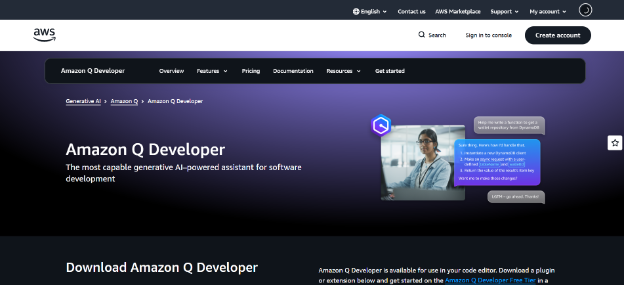
Amazon Q Developer is AWS's specialized coding agent. It focuses on infrastructure-as-code, cloud security posture, and deployment optimization, and it reads existing AWS resources to suggest fixes that fit the actual deployment topology. The agent automatically generates least-privilege CDK templates and Lambda configurations.
Key features
- AWS service catalog awareness produces idiomatic Lambda, ECS, S3, and DynamoDB code with built-in IAM compliance.
- CDK and CloudFormation generation convert natural-language infrastructure specs into deployable templates.
- Inline security scanning flags overly permissive IAM policies, unencrypted resources, and known CVEs in generated code.
- Multi-IDE coverage spans VS Code, IntelliJ, and the AWS console.
- Account context lets the agent read existing AWS resources and suggest fixes aligned with what is already deployed.
Pros
- Amazon Q has the strongest AWS-specific IaC and IAM reasoning of any agent in the market.
- Native AWS Console integration enables agentic workflows from the cloud control plane, not just the editor.
- Per-user pricing is predictable, and the free tier is generous for individual developers.
Cons
- General-purpose application code generation underperforms Claude Code and Cursor.
- Functionality is significantly weaker outside the AWS ecosystem.
- There is no BYOK support, so the agent is locked to AWS-managed model families.
Pricing
Amazon Q uses per-user subscription pricing. The permanent free tier covers basic chat and inline suggestions. Pro at $19 per user per month adds advanced agent capabilities, security scanning, and IaC generation. Custom pricing is available for large AWS Organizations that need audit logs and centralized policy. Pro offers a 30-day evaluation for new accounts.
Best open-source and BYOK AI coding agents
Kilo Code (best open-source, model-agnostic platform)
Best for
- Engineering teams that want model neutrality and zero-markup pricing on agent inference.
- Mid-market teams (10 to 500 developers) that need centralized billing, usage analytics, and the ability to mandate approved models without giving up developer flexibility.
- Cost-conscious individual developers and startups that refuse to pay flat-fee subscriptions when raw API spend would be lower.
- Regulated teams that need a fully auditable agent execution path with SSO, audit logs, and the option to self-host.
Overview
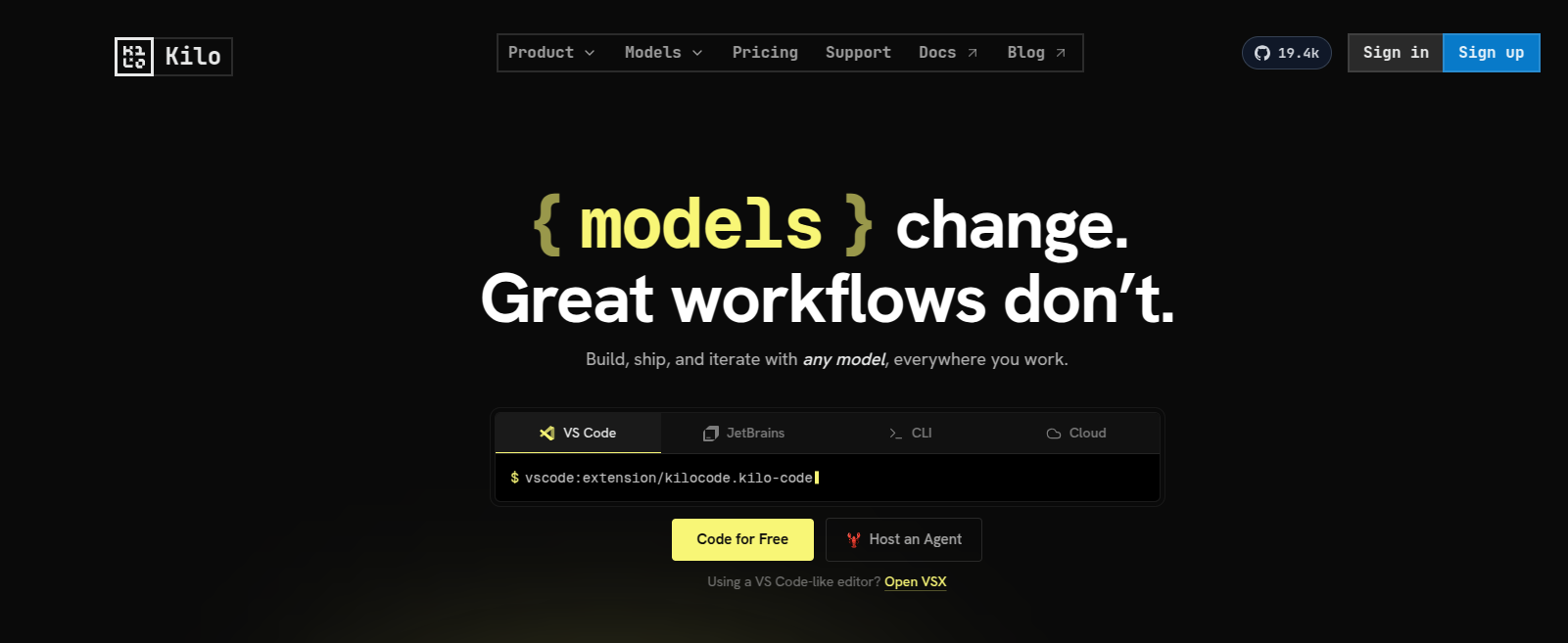
Kilo Code is a model-agnostic agentic coding platform built around 500+ AI models from 60+ providers. Its VS Code extension, JetBrains plugin, and CLI are MIT-licensed. Teams connect their own OpenAI, Anthropic, Google, or other provider keys at zero markup, or route traffic through the Kilo Gateway. The platform is the #1 Open Source Product of the Month, with 5M+ Kilo Coders and 10T+ tokens processed every month.
Key features
- The 500+ model catalog and 60+ provider integrations let developers route each task to the right model, with an Auto Model option that selects the optimal model per request based on complexity, cost, and speed.
- Four built-in agents (Ask, Plan, Code, and Debug) provide purpose-built workflows for different stages of development, subagent delegation handles larger tasks, and custom agents can be defined per project in
.kilo/agent/with their own instructions and tool access. - Kilo Gateway provides a one-click managed alternative to direct BYOK.
- The MCP Server Marketplace provides teams with a community-curated catalog of integrations that extend the agent to databases, internal APIs, and external tools.
- Cloud Agents, parallel agents on Git worktrees, and an Agent Manager run long-horizon tasks in the background while developers stay focused on the foreground work.
- Terminal automation, browser automation, voice prompting, and automated code reviews extend the platform beyond inline code generation.
Pros
- Heavy users pay the lowest variable cost of any major coding agent because they pay model providers directly at provider rates.
- True model neutrality lets teams swap providers as model leadership rotates, without changing tools or workflows.
- Multi-IDE coverage (VS Code, JetBrains, CLI) means teams do not have to migrate to a proprietary IDE to adopt the agent.
- MIT licensing across the VS Code and JetBrains extensions and CLI, plus a source-available cloud backend, means each available component can be inspected, audited, and extended.
- An active OSS community (15K+ GitHub stars, 472 contributors, 294 releases) ships major features weekly and produces broad documentation coverage.
- Regulated teams can self-host the entire stack on-premises alongside locally hosted LLMs (Ollama, LM Studio, llama.cpp), pin model versions, and audit every line of the path that handles proprietary code.
- Kilo Gateway delivers BYOK economics without the operational overhead. Direct BYOK setups require managing API keys, rate limits, and provider rotations across multiple vendors, while the Gateway routes traffic through a single zero-markup relationship.
- The founding team includes co-founder Jan Paul Posma, CEO Scott Breitenother, and GitLab co-founder Sid Sijbrandij as Executive Chairman, bringing enterprise GTM and open-source commercialization experience.
Cons
- The autocomplete quality lags behind Cursor's and GitHub Copilot's deeply tuned completion engines, which matters for developers whose primary AI use is line-by-line inline suggestions rather than agentic multi-file work.
Pricing
The Individual tier is free and pay-as-you-go: zero platform cost, and $1 of credits equals $1 of API spend. Kilo Pass tiers (Starter $19/month, Pro $49/month, Expert $199/month) bundle a credit pack worth roughly 40% more than the subscription price for developers who want predictable monthly spending. Teams at $15 per user per month adds usage analytics, an AI adoption score, shared BYOK, centralized billing, and data privacy controls. Enterprise at $150 per user per month adds SSO/OIDC/SCIM, audit logs, model and provider restrictions, an SLA, and dedicated support. Kilo Code is also available on AWS Marketplace at Teams $180 per user per year and Enterprise $1,800 per user per year for procurement through AWS.
Cline (best for VS Code plus MCP tool building)
Best for
- VS Code-loyal teams that want an OSS agent without switching editors.
- Teams that build internal tools and want to extend the agent with custom MCP-compatible integrations.
- Power users who like the plan-and-act paradigm and want fine-grained control over agent steps.
Overview
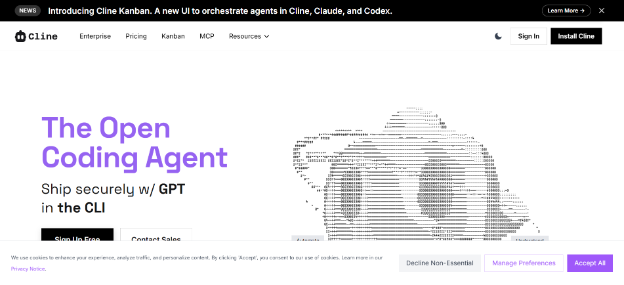
Cline is an open-source AI coding agent built as a VS Code extension. With 5M+ installs, it is the most-installed AI agent in the VS Code ecosystem. The plan-and-act architecture pairs cleanly with native Model Context Protocol support, which lets developers scaffold custom tools that connect to internal databases, deployment scripts, or proprietary APIs.
Key features
- The plan-and-act architecture generates a multi-step plan and executes it in steps, with explicit user approval at each gate.
- Native MCP integration lets developers build custom tools that the agent can call from within VS Code.
- The VS Code-native UX surfaces in the standard sidebar, inherits VS Code keybindings, and respects existing workspace settings.
- BYOK works across major providers (Anthropic, OpenAI, Gemini, Bedrock) and locally hosted endpoints.
- An active community and engaged contributor base produce rapid feature iteration and broad documentation coverage.
Pros
- Cline has the largest community in the OSS AI-agent space, which makes tutorials, MCP tool implementations, and troubleshooting resources easy to find.
- The MCP-first design makes Cline a strong, localized orchestrator for teams looking to extend agent capabilities.
- Cline is free at every usage level; the only cost is the team's model provider API rate.
Cons
- Cline runs only as a VS Code extension. Teams that need JetBrains support or a terminal-native workflow must adopt a separate agent for those surfaces.
- Cline is less suited to long-horizon autonomous tasks than Devin; its strength is interactive plan-and-act, not delegate-and-forget.
- The agent lacks native multi-repo orchestration for enterprise refactoring at scale.
Pricing
Cline is free and open-source. The extension itself is $0; teams BYOK and pay only their model provider's API rate. There is no mid-tier and no commercial enterprise tier as of early 2026; the project is community-supported.
OpenCode (best for terminal-based patch verification)
Best for
- Terminal-first developers who want a polished TUI alternative to graphical IDE workflows.
- Teams that want AST-aware patch verification before any agent change is committed to disk.
- Cost-conscious developers who prefer a Go-based, low-overhead agent over electron-based alternatives.
Overview
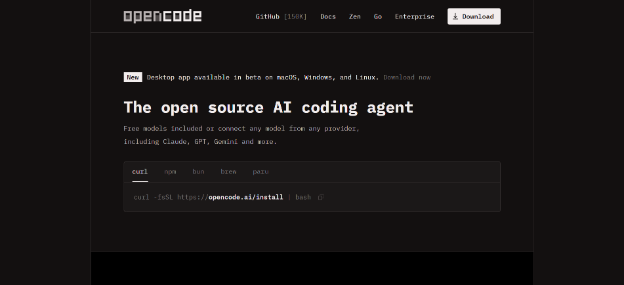
OpenCode is an open-source, terminal-native AI coding agent built in Go. With more than 150,000 GitHub stars, 850 contributors, and 6.5 million monthly developers, it is the most widely adopted OSS terminal agent. Its differentiator is AST-aware patch verification: before committing any change, OpenCode verifies the structural integrity of the abstract syntax tree, preventing the common failure mode in which an agent silently corrupts a file via a malformed regex replacement.
Key features
- Multi-provider support covers Anthropic, OpenAI, Gemini, Bedrock, and self-hosted endpoints via BYOK.
- AST-aware patch verification validates the structure before applying changes, which prevents agent edits from breaking syntax.
- The polished TUI provides a multi-pane curses-based interface with keyboard-driven workflow and fast file navigation.
- Read, write, edit, and patch tools are built in, and the agent automatically runs build checks after applying changes.
- Active development with 11K+ commits keeps the roadmap moving quickly.
Pros
- OpenCode offers the strongest terminal UI among the OSS agents. Its keyboard-driven workflow rivals Claude Code's CLI for power-user ergonomics.
- AST verification catches a class of agent-edit bugs that pure-text agents miss.
- The active community translates into broad ecosystem support and rapid bug fixes.
Cons
- The agent is terminal-only, with no native IDE integration for developers who prefer visual workflows.
- Onboarding is less polished than Cursor or Claude Code for engineers new to terminal-based agents.
- OpenCode lacks the multi-file visual diffing and drag-and-drop context selection that GUI-based agents offer.
Pricing
OpenCode is free and open-source under the MIT license. The agent itself is $0; teams BYOK and pay only their model provider's API rate. The project is community-supported, with no commercial enterprise tier.
pi.dev (best for air-gapped, privacy-first environments)
Best for
- Security-conscious teams operating in air-gapped or strict-compliance environments.
- Minimalist developers who want a small, auditable agent extensible in TypeScript.
- Teams that want to avoid the Model Context Protocol because of supply-chain concerns.
Overview
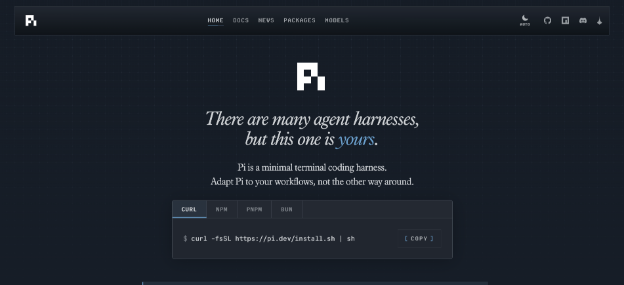
pi.dev is a minimalist, MIT-licensed terminal agent maintained by Mario Zechner, the creator of libgdx. It supports more than 15 model providers, including self-hosted endpoints, and ships with no SaaS backend. The agent intentionally avoids MCP on supply-chain grounds and extends through TypeScript code that the team writes and audits itself.
Key features
- The tiny core includes four built-in tools (read, write, edit, and bash), keeping the attack surface minimal.
- TypeScript extensibility lets teams add custom tools with code they fully control.
- More than 15 providers are supported, including self-hosted endpoints (vLLM, Ollama, llama.cpp, Bedrock) alongside standard SaaS providers.
- The agent has no SaaS dependency, no telemetry, no remote servers, and no workspace cloud sync.
- Plain-text logging surfaces every reasoning step and tool call as readable JSON in the developer's shell.
Pros
- pi.dev has the smallest attack surface among the OSS agents and is fully auditable and self-hostable.
- The MIT license combined with a no-SaaS architecture makes pi.dev the safest pick for air-gapped or compliance-heavy environments.
- The agent is maintained by a long-time open-source author with a track record of long-lived projects.
Cons
- The community is small. Extending pi.dev requires writing TypeScript directly, and third-party tools are scarce compared to MCP-supported agents.
- The agent is less feature-rich than OpenCode, Cline, or Kilo Code.
- If a team's security posture does not require this level of minimalism, the engineering tax outweighs the benefit.
Pricing
pi.dev is free and open-source under the MIT license. The agent itself is $0; teams BYOK and pay only their model provider's API rate, or zero if they self-host an open model. There is no mid-tier and no commercial enterprise tier; the project is community-supported.
Which AI coding agent should you choose?
The shortlists below match tools to typical buying contexts. For the full decision framework, vendor security checklist, and two-week pilot template, see the companion How to choose an AI coding assistant in 2026.
By use case
- Architectural multi-file refactors: Claude Code in the terminal, or Devin as a cloud delegate. Pick Claude Code for hands-on control and Devin for delegate-and-forget. Kilo Code is the model-neutral alternative: parallel agents on Git worktrees handle multi-file work hands-on, and Cloud Agents handle delegated work, all on BYOK pricing.
- Daily IDE flow and rapid feature work: Cursor or Windsurf for teams willing to migrate to a forked AI-native IDE. Kilo Code is the no-migration alternative that runs as an extension inside the existing VS Code or JetBrains setup, with BYOK across 500+ models.
- GitHub PR-loop automation: Copilot Agent HQ. Multi-agent routing inside the GitHub interface removes the "but which agent?" decision for GitHub-native teams.
- AWS infrastructure and IaC: Amazon Q Developer. The IAM and CDK reasoning is more accurate than what neutral agents produce.
- GCP and Android workflows: Gemini Code Assist. The cloud-context integration is closer to the platform than what other vendors offer.
- Internal tool building with agent extensibility: Cline for single-editor teams already on VS Code; Kilo Code when the team spans VS Code, JetBrains, and CLI.
- Pull request review automation: Kilo Code. Run agentic PR review in the CI pipeline using the model and review logic the team chooses, so review behavior evolves with the team's standards rather than a fixed vendor policy.
- Air-gapped or compliance-heavy environments: pi.dev for the smallest attack surface and a fully self-hostable footprint. Kilo Code Enterprise covers compliance-heavy teams that need SSO/OIDC/SCIM, audit logs, model and provider restrictions, and an SLA alongside the open-source codebase.
By budget
- Strict budget or OSS-only: Kilo Code (Individual tier), Cline, OpenCode, or pi.dev. Individual use is free across all four; teams pay only their model provider's API rate. Kilo Code adds optional paid Pass tiers and a Teams plan if centralized billing or usage analytics become necessary.
- Under $25 per user per month: Kilo Code Teams ($15 per user per month), Cursor Pro, Windsurf Pro, Copilot Business, Amazon Q Free tier, or Gemini Code Assist Standard. Predictable per-user pricing for individuals and small teams; Kilo Code Teams undercuts Copilot Business and Cursor Pro at this tier while adding BYOK access to 500+ models.
- $25 to $100 per user per month: Cursor Business or Gemini Code Assist Enterprise. Mid-tier with team admin and usage scaling.
- Enterprise budget ($100+ per user per month or custom): Kilo Code Enterprise ($150 per user per month), Devin (Cognition), Copilot Enterprise, or Claude Code on Anthropic Enterprise. All include SSO, audit logs, and enterprise governance controls; Kilo Code Enterprise adds a self-host option and source-available stack. Anthropic Max plans ($100 to $200 per month) sit at this price level for individual power users without the enterprise governance features.
By team size
- Solo developers and indie hackers: Kilo Code on the Individual tier or another OSS agent (Cline, OpenCode, pi.dev) for BYOK pay-as-you-go. Cursor or Claude Code work for developers willing to pay flat-fee subscriptions. Skip team-tier vendors at this size; the overhead is not worth it.
- Small teams (2 to 25 developers): Kilo Code installs as an extension in the IDE developers already use (VS Code or JetBrains) and pays only API rates via BYOK, keeping costs predictable as the team scales. Add Claude Code for senior-engineer terminal workflows. Cursor Business or Windsurf Teams is the alternative if the team prefers a forked AI-native IDE over an extension.
- Mid-size teams (25 to 500 developers): Kilo Code Teams ($15 per user per month) centralizes BYOK billing, usage analytics, and access to 500+ models without locking the team into a single foundation model or IDE. Add Devin for delegated cloud work. Cursor Business or Copilot Business is the alternative if the team has already standardized on a single SaaS vendor.
- Large enterprises (500+ developers): Kilo Code Enterprise ($150 per user per month) supports regulated teams that require SSO/OIDC/SCIM, audit logs, model and provider restrictions, and a self-host option, alongside an auditable open-source codebase. Pair with Cognition's Devin and Windsurf for cloud delegation and AI-native IDE flow, or with Copilot Enterprise for teams already standardized on GitHub-native governance.
Conclusion
Pick by use case. Most teams end up running two or three agents: an IDE primary, a terminal heavy-lifter, and an optional cloud delegate. Governance, pricing predictability, and sandboxing controls are the buying axes that matter most in 2026, and open-source BYOK platforms led by Kilo Code are now mature enough to anchor a primary stack rather than serve as a side experiment.
The companion 2026 AI Coding Assistant Buyer's Guide covers the six evaluation criteria in depth, the data-governance and autonomy decision tree, the security architecture for safe autonomous execution, and a two-week pilot template for 8 to 20 developers on real workloads.
Teams looking for a model-neutral starting point can get started with Kilo Code for free.
Frequently asked questions
What are the best AI coding agents in 2026 for most teams?
Most teams settle on a stack of two or three agents: an IDE agent (Cursor or Windsurf), a terminal agent for deep refactors (Claude Code or OpenCode), and an optional cloud delegate for asynchronous work (Devin or Copilot Agent HQ). Kilo Code can replace the IDE-and-terminal pair as a single, open-source, model-agnostic extension across VS Code, JetBrains, and the CLI, with BYOK pricing rather than stacked SaaS subscriptions.
Is Kilo Code a Cursor alternative?
Yes, for teams that want to keep their current IDE and avoid SaaS lock-in. Cursor is a forked VS Code with deeply integrated AI. Kilo Code is an extension that runs inside stock VS Code or JetBrains and lets the team bring any model via BYOK. Pick Cursor if migrating editors is acceptable and SaaS-style billing is fine. Pick Kilo Code if the team wants to stay on its existing IDE and pay only API rates.
Which AI coding agent is best for VS Code users?
Kilo Code or Cline for teams that want to keep their existing VS Code setup and bring their own model via BYOK. Kilo Code adds JetBrains and CLI coverage if the team spans multiple surfaces; Cline is the lighter VS Code-only option. Cursor is the alternative for teams willing to migrate to a forked IDE in exchange for deeper AI integration.
Which AI coding agent is best for JetBrains (IntelliJ or PyCharm) teams?
Kilo Code. The native Kilo Code v7 plugin runs across supported JetBrains IDEs and uses the same BYOK orchestration layer as the VS Code extension, so JetBrains-loyal teams keep their IDE, pay only API rates, and stay model-neutral across providers.
What is the best AI coding agent for large refactors across many repositories?
Devin (Cognition) is purpose-built for delegated, multi-repo cloud execution with sandboxed VMs. Claude Code typically performs better for terminal-native refactors inside a single large repo. Kilo Code's parallel agents on Git worktrees give teams a model-neutral middle ground: multiple agents run concurrently on isolated branches without leaving the editor.
What is the safest AI coding agent setup for regulated industries?
Kilo Code Enterprise is the open-source pick: self-hostable on-premises, fully auditable, with SSO/OIDC/SCIM, audit logs, and model and provider restrictions. Copilot Enterprise paired with Devin's ephemeral cloud VMs is the closed-source alternative for teams that prefer a SaaS-style governance plane. Regardless of which stack a team picks, enforce least-privilege credentials and require human approval for production-impacting actions.
How do OpenCode and Claude Code differ for terminal use?
OpenCode is MIT-licensed and supports 75+ providers plus local models. Claude Code is closed source and centered on Claude models, but offers a broader managed experience across terminal, IDE, desktop, web, mobile, and enterprise workflows. Read the current OpenCode vs Claude Code comparison for pricing, installation, automation, and privacy details.
What is the difference between Cursor and Claude Code?
Cursor is IDE-first and optimized for interactive multi-file editing. Claude Code is terminal-first and excels at architectural reasoning and large-scale refactors, but it is more prone to cost spikes when the context cache invalidates under heavy use.
Which AI coding agent is best for AWS or GCP infrastructure work?
Amazon Q Developer performs strongest on AWS workloads (IAM, IaC, deployment patterns). Gemini Code Assist works best on GCP and Android workloads because of native Cloud Run, Cloud Build, and telemetry integrations.
Cline vs Kilo Code for VS Code-loyal teams?
Cline runs only as a VS Code extension. Kilo Code runs across VS Code, JetBrains, and a CLI. If the team is permanently on VS Code and wants the largest OSS community for MCP tool building, Cline is the simpler pick. If the team has any JetBrains pockets or wants a unified workflow across editors and terminal, Kilo Code is the better fit.
Devin vs Claude Code for multi-file refactors?
Pick Devin for delegated cloud execution: the agent provisions a sandboxed VM, completes the refactor, and submits a pull request without further hands-on time. Pick Claude Code when an engineer wants to stay in the loop, drive the plan from the terminal, and iterate on errors as they appear. Cost differs sharply: Devin charges variable ACUs on top of team subscriptions, while Claude Code runs on flat-rate Anthropic plans plus optional API usage.