Connecting Chat Platforms
KiloClaw supports connecting your AI agent to Telegram, Discord, and Slack. You can configure channels from the Settings tab on your KiloClaw dashboard, or from the OpenClaw Control UI after accessing your instance.
Supported Platforms
Telegram
To connect Telegram, you need a Bot Token from @BotFather on Telegram.
Enter the token in the Settings tab and click Save. You can remove or replace a configured token at any time.

Advanced settings such as DM policy, allow lists, and groups can be configured in the OpenClaw Control UI after connecting.
Discord
To connect Discord, you need a Bot Token from the Discord Developer Portal.

Enter the token in the Settings tab and click Save. You can remove or replace a configured token at any time.
Slack
To connect Slack, you need both of the following tokens from Slack App Management:
- Bot Token — starts with
xoxb- - App Token — starts with
xapp-
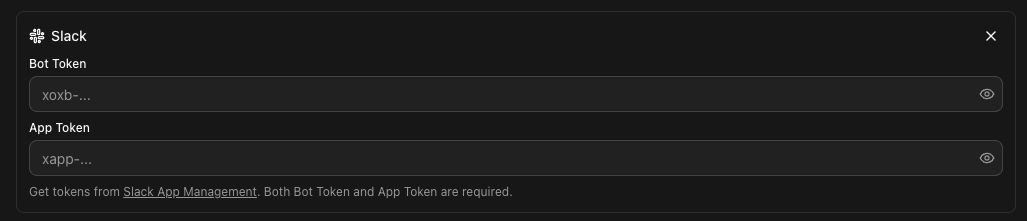
Both tokens are required — you cannot save with only one.
Configuring a Channel
- Open your KiloClaw dashboard
- Go to the Settings tab
- Scroll to the Channels section
- Enter the required token(s) for your platform
- Click Save
After saving channel tokens, you need to Redeploy or Restart OpenClaw for the changes to take effect.
To remove a channel, clear its token(s) in Settings and save. Redeploy or Restart OpenClaw afterward to apply the removal.
Pairing Requests
After connecting a channel and starting your instance, new users and devices need to be approved before they can interact with your agent.
- Channel pairing — When someone messages your bot on Telegram, Discord, or Slack for the first time, a pairing request appears on your dashboard. You need to click Approve to allow them to use the bot.
- Device pairing — When a new browser or device connects to the OpenClaw Control UI, a similar request appears. Click Approve to authorize it.
Pairing data is cached for about 2 minutes. Use the refresh button to check for new requests.
Future Support
Additional platforms (such as WhatsApp) are planned for future releases. For the latest on supported platforms, refer to the OpenClaw documentation.