


The AI coding extension
VS Code was missing
Powered by the same portable core as Kilo CLI, built on OpenCode as its open-source foundation. You get subagent delegation, parallel execution, and cross-platform sessions without leaving your editor.
5M+ downloads · Free and open source (view on GitHub)
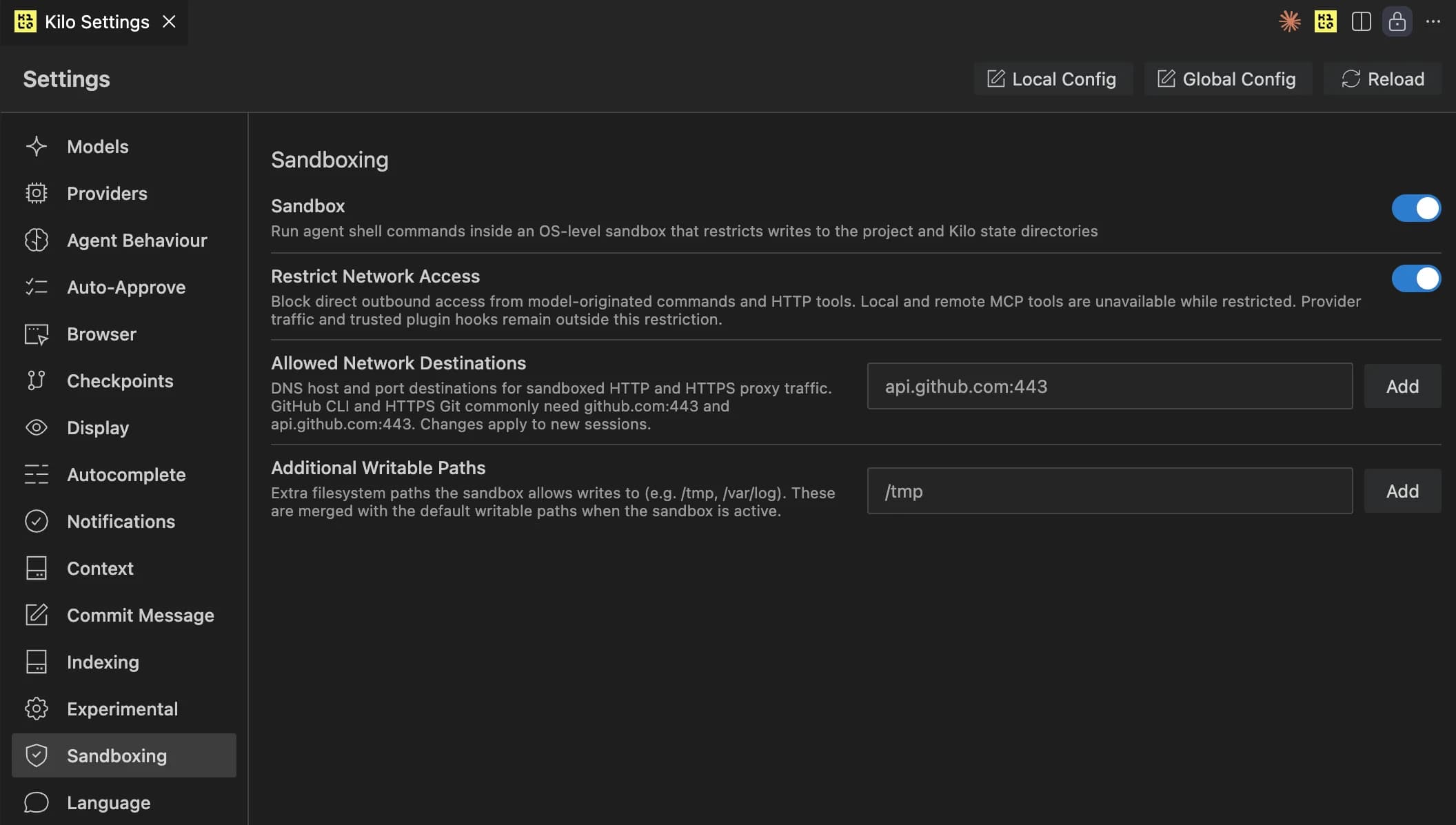
Let agents run fast without giving them the whole machine
Kilo Sandbox adds OS-level confinement around agent tool execution, so permissions decide whether a tool runs and the sandbox decides what it can touch while running.
Workspace-only writes
Agents can read the context they need, but writes stay inside your workspace or explicitly allowed paths.
.git stays read-only
Your repository history is protected even when the agent is running in auto-approve mode.
Network deny when you need it
Block direct sockets and only allow HTTP/HTTPS hosts you have approved through the sandbox proxy.

An agent that doesn't just think faster - it works faster
Parallel tool calls, parallel subagents, and custom subagents all come built into the rebuilt extension.
Parallel tool calls
File reads, searches, and terminal commands can run at the same time, so the agent spends less time waiting around.
Parallel subagents
Implementation, tests, and docs can each get their own specialist and merge back into one result.
Custom subagents
Define your own agent roles to match the way your team actually ships software.

One interface for every agent session
Agent Manager already existed. Now it runs on the same portable core, so worktrees, parallel sessions, and inline review are native instead of bolted on.
Session tabs built for context switching
Spin up tabs, monitor what each agent is doing, and jump between tasks without losing the thread.
Shared core, fewer workarounds
Because Agent Manager now uses the same foundation as CLI, the newest capabilities land here naturally.

Review agent changes like a teammate PR
Inspect every edit file by file, comment on exact lines, and send structured review context back into the chat.
Built-in diff reviewer
Review changes in unified or split view and see exactly what the agent touched before you apply anything.
Line-level comments
Comment on the exact line that needs attention, just like reviewing a pull request.
Send all to chat
Every comment gets sent with file path, line number, and code so the next response is grounded in the diff.

Run parallel agents without stepping on each other
Create a new git worktree per agent when you want isolation, or keep agents on the same worktree for read-heavy collaboration.
One click to branch out
Hit the plus button and Kilo creates a worktree in a subdirectory so each agent gets its own copy of the repo.
Merge the way you want
Bring results back through a PR, a commit, or direct apply depending on how formal the workflow needs to be.
Same-worktree option too
If one agent is coding and another is reviewing, they can share the same worktree and still stay useful.

Compare model output side by side on the same prompt
Useful for refactors, architecture decisions, or any open-ended task where you want a few real options before choosing a direction.
Real task comparisons
Run Claude, GPT, Gemini, or another model on the exact same prompt and compare the work, not a benchmark chart.
500+ models, no lock-in
Use hosted models, BYOK, or local models and keep the flexibility to pick the best fit every time.

Start in CLI, pick up in VS Code, share in Slack
Session continuity is built in because the extension and CLI share the same portable core.
Move between surfaces
Start a task over SSH in the terminal, reopen it in VS Code later, and keep the same context.
Shareable sessions
Bring a session into Slack when you want to loop someone else in without rebuilding the whole conversation.
PLATFORM
All-in-one platform, same core
The rebuilt VS Code extension plugs into the rest of Kilo instead of living on an island.
VS Code
The rebuilt extension with parallel agents and native inline review.
CLI
The same portable core for local terminals, SSH sessions, and servers.
JetBrains
Parallel agent workflows for IntelliJ, WebStorm, PyCharm, and more.
Code Reviewer
Targeted code review workflows with diff-aware context and comments.
Cloud Agents
Remote sessions you can resume from your editor or share with teammates.
Slack
Bring sessions into team conversations when you need quick visibility or feedback.
GET STARTED
Install Kilo Code and go parallel
Install Kilo Code
Search for "Kilo Code" in the VS Code extensions view or install it from the Visual Studio Marketplace.
Go parallel
Open a few tabs, start a few agents, and use worktrees when you want isolated execution.
Install link: Visual Studio Marketplace
Feedback
Share bugs, edge cases, and workflow feedback in the Discord #vscode channel. That is where the team is actively collecting feedback on the rebuilt extension.
Trusted by developers at the world's most innovative companies
Frequently asked questions
RESOURCES
Read more, then try it in your own workflow
The blog post goes deep. The docs and repo help you get hands-on faster.
Sandbox announcement
Read how Kilo Sandbox confines agent tool execution below the model layer.
Rebuild announcement
Read the full post behind the rebuilt extension and portable core.
Documentation
Setup guides, provider configuration, and workflow docs.
GitHub repository
Browse the source, file issues, and track the extension in public.
Install Kilo Code and see how fast parallel actually feels
Same editor. A much more capable engine underneath it.
5M+ downloads · Free and open source (view on GitHub)