Open Source CLI Coding Agent
Any model, zero markup: frontier, open weight, or your own keys. One agent, fully open source.
Kilo Console
A browser-based control for Kilo CLI (Beta)
Manage projects and git worktrees
Open any local project in a browser UI, inspect its worktrees, and launch CLI sessions without juggling terminal tabs.
Edit settings without JSON files
Configure project and global defaults, see whether values are inherited or overridden, and save changes from a visual settings screen.
Review agents, tools, and permissions
Browse built-in and custom agents, inspect their available tools, and update permission rules from one place.
Key benefits
AI coding from your terminal
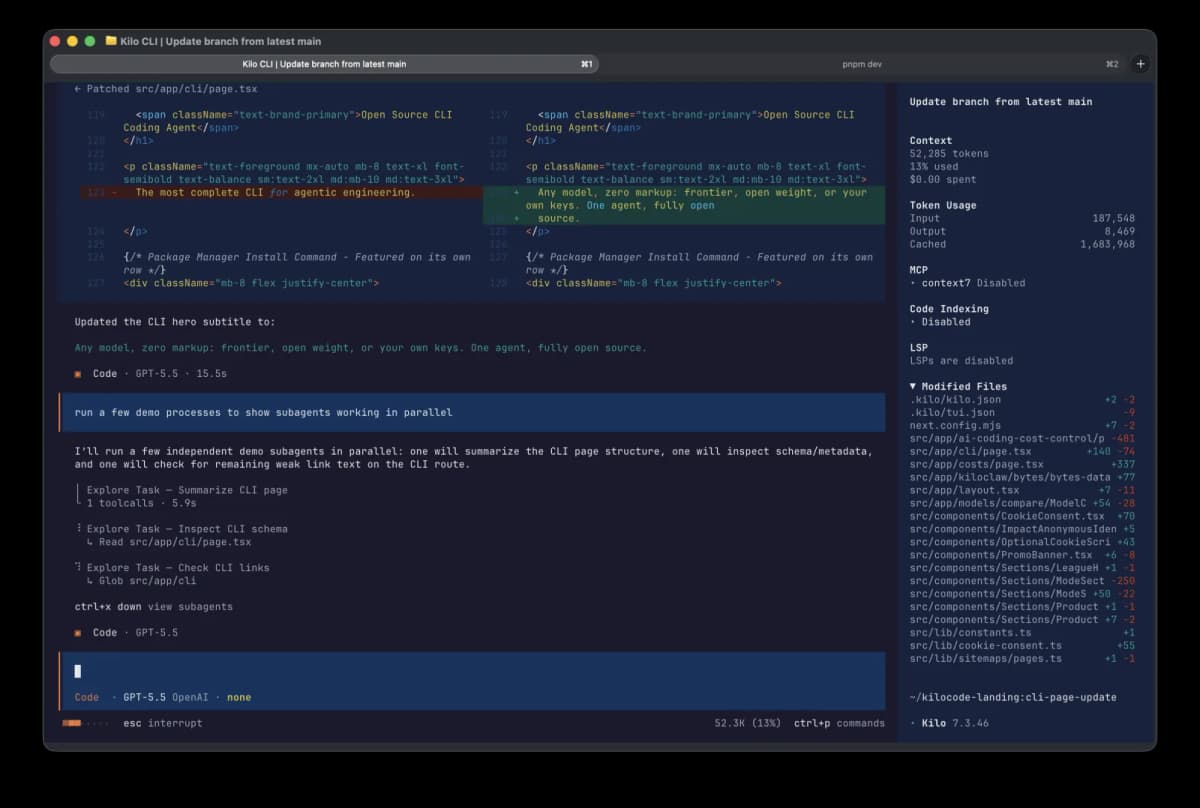
Run parallel agents from one terminal
Start multiple specialized agents, monitor their progress side by side, and keep long-running coding tasks moving without opening extra tools.
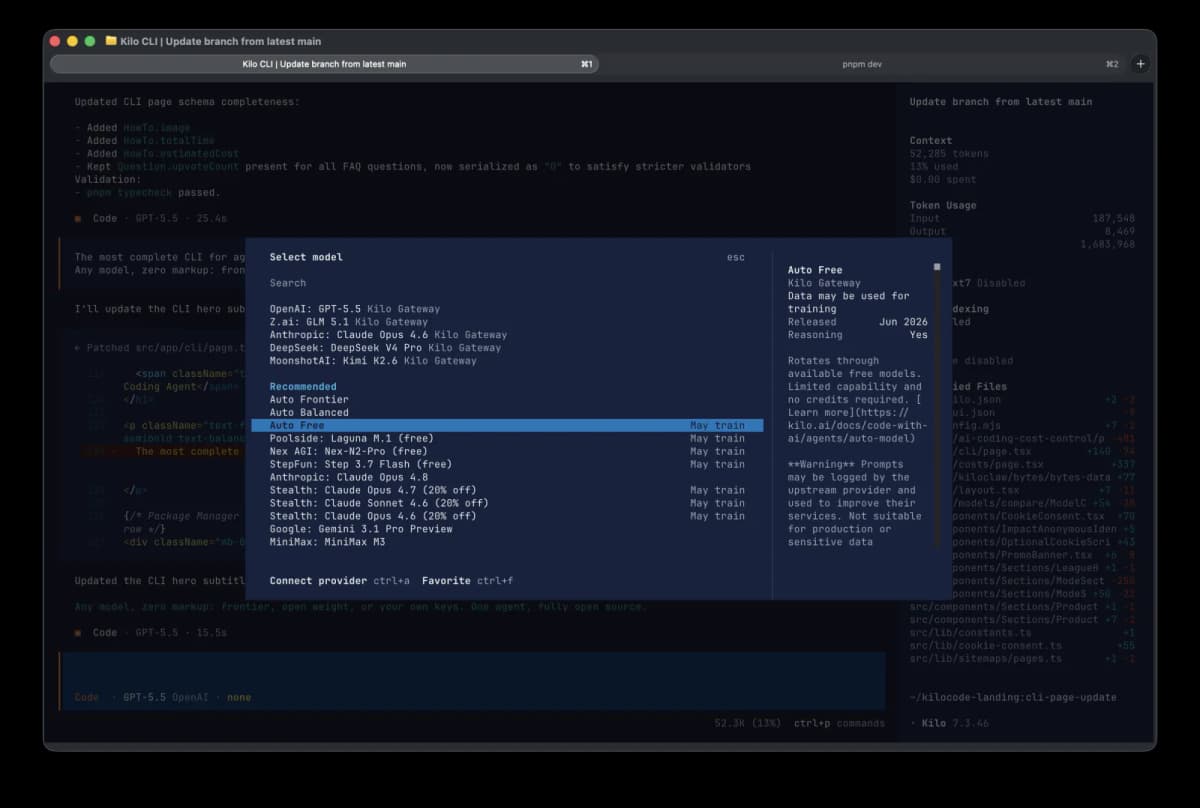
Choose any model for the task
Switch between frontier models, open-weight models, and your own API keys from the CLI while keeping usage transparent and markup-free.
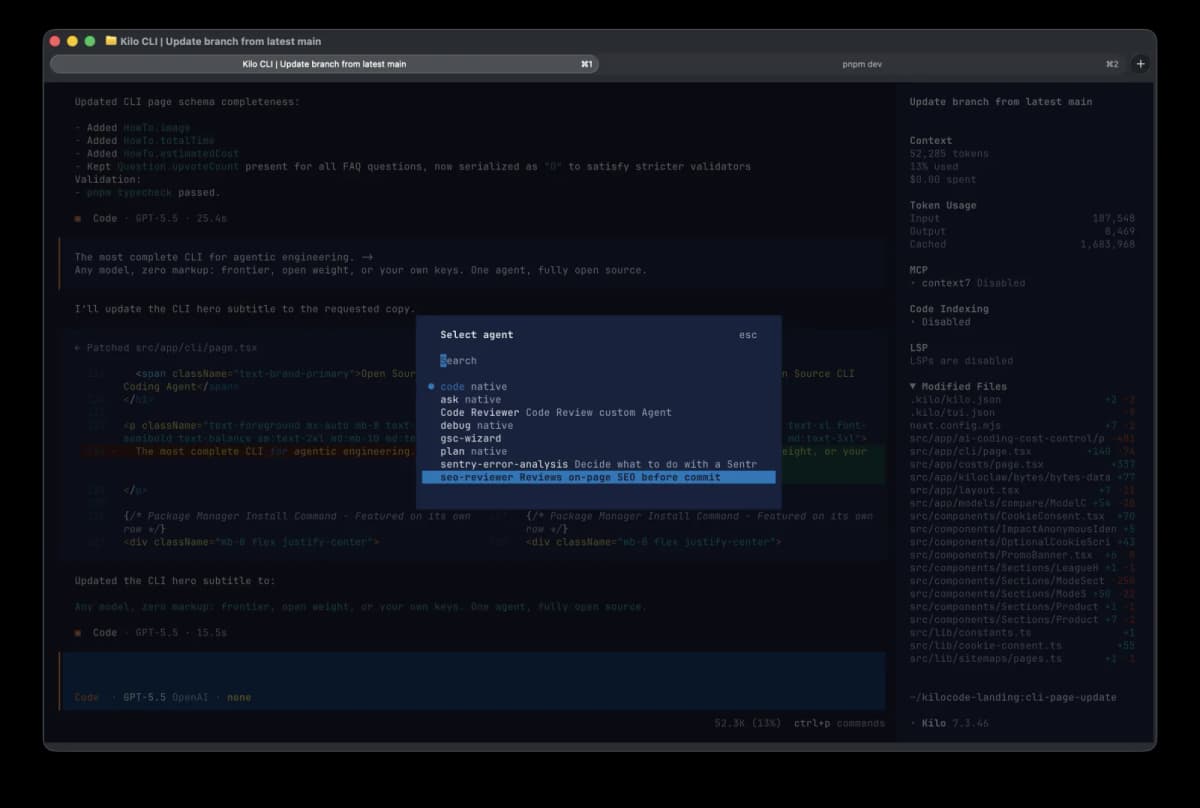
Use native and custom modes
Work in purpose-built modes for planning, coding, debugging, and reviewing, or define custom modes that match how your team ships software.
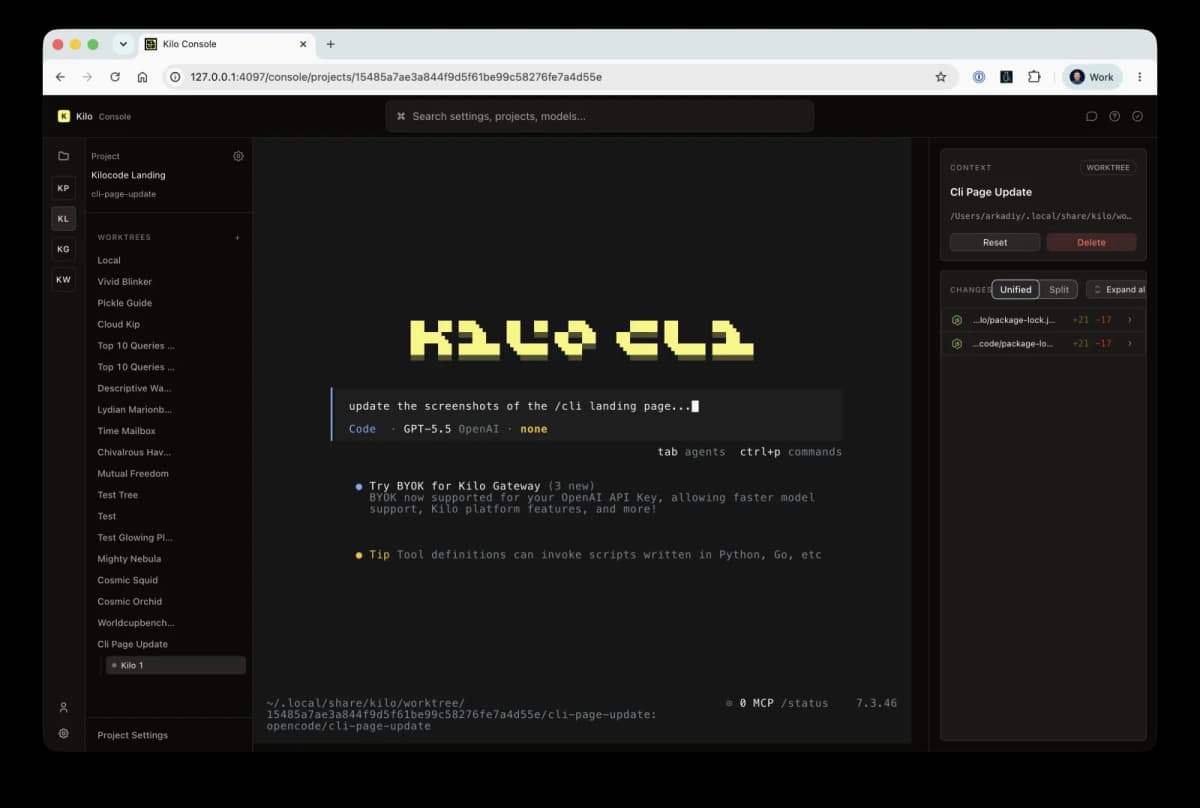
Manage worktrees in Kilo Console
Open local projects in the browser-based console, inspect git worktrees, and launch CLI sessions from a visual control surface.
EASY SETUP
Get started in minutes
Three simple steps to AI-powered development
Install the CLI
Run npm install -g @kilocode/cli to install globally on your system.
Authenticate
Sign in with your Kilo account or add your own API keys for any provider.
Start Building
Run kilo in any directory and start coding with AI assistance.
OPEN SOURCE
Built on proven foundations
OpenCode Foundation
Kilo CLI is built on OpenCode—an MIT-licensed CLI for agentic coding that's beautifully designed and backed by an active community.
Deep Integration
Not a thin wrapper. We've integrated Kilo CLI deeply into the Kilo platform while preserving everything that makes OpenCode great: fast, extensible, and built for developers.
Giving Back
Kilo is committed to open source—we'll be contributing our improvements and bug fixes upstream to OpenCode.
All-In-One Platform
Kilo is more than a CLI
An all-in-one AI coding platform that works everywhere you code
VS Code Extension
The original Kilo Code experience, right in your favorite editor.
JetBrains Plugin
Full Kilo Code power in IntelliJ, WebStorm, PyCharm, and more.
Kilo Teams
Centralized billing, shared modes, and analytics for your organization.
Enterprise
SSO, SCIM provisioning, audit logs, and dedicated support.
Code Reviewer
AI-powered code reviews for better code quality and faster feedback.
Cloud Agents
Run AI coding tasks in the cloud without relying on your local machine.
Pricing
Pay-as-you-go with zero markup on AI tokens. Start free.
Frequently Asked Questions
RESOURCES
Kilo CLI resources
Dive deeper into Kilo CLI
CLI Documentation
Complete guide to using Kilo CLI with all commands and options.
What Is an AI Coding Agent?
Understand how AI coding agents plan, execute, and iterate on your code.
Best CLI Coding Agents
Compare Kilo CLI, Claude Code, Codex CLI, Gemini CLI, Qwen Code, and official xAI API docs.
Open Source Agentic CLI: Evaluation Guide
How to evaluate agentic CLIs across openness, model choice, permissions, sandboxing, and CI readiness.
Kilo CLI vs Claude Code
Compare terminal-first agents across model choice, pricing, and workflows.
Kilo CLI vs Aider
See how Kilo CLI compares with Aider for command-line coding.
Kilo CLI vs Codex CLI
Compare Kilo CLI with OpenAI Codex CLI for agentic engineering.
Kilo CLI vs Gemini CLI
Compare Gemini CLI with Kilo CLI and 500+ available models.
Kilo CLI vs GitHub Copilot CLI
Compare GitHub Copilot CLI with the open, multi-model Kilo CLI.
Kilo CLI vs OpenCode CLI
Compare Kilo CLI with the upstream OpenCode CLI, Go, and Zen.
Getting Started Tutorial
Watch how to go from install to shipping code in under 1 minute.
GitHub Repository
Explore the source code, report issues, and contribute.
Discord Community
Join the community to get help, share tips, and connect with 15k+ other developers.
Ready to build faster?
Join thousands of developers using Kilo CLI to ship code faster with AI.