Run and debug every worktree
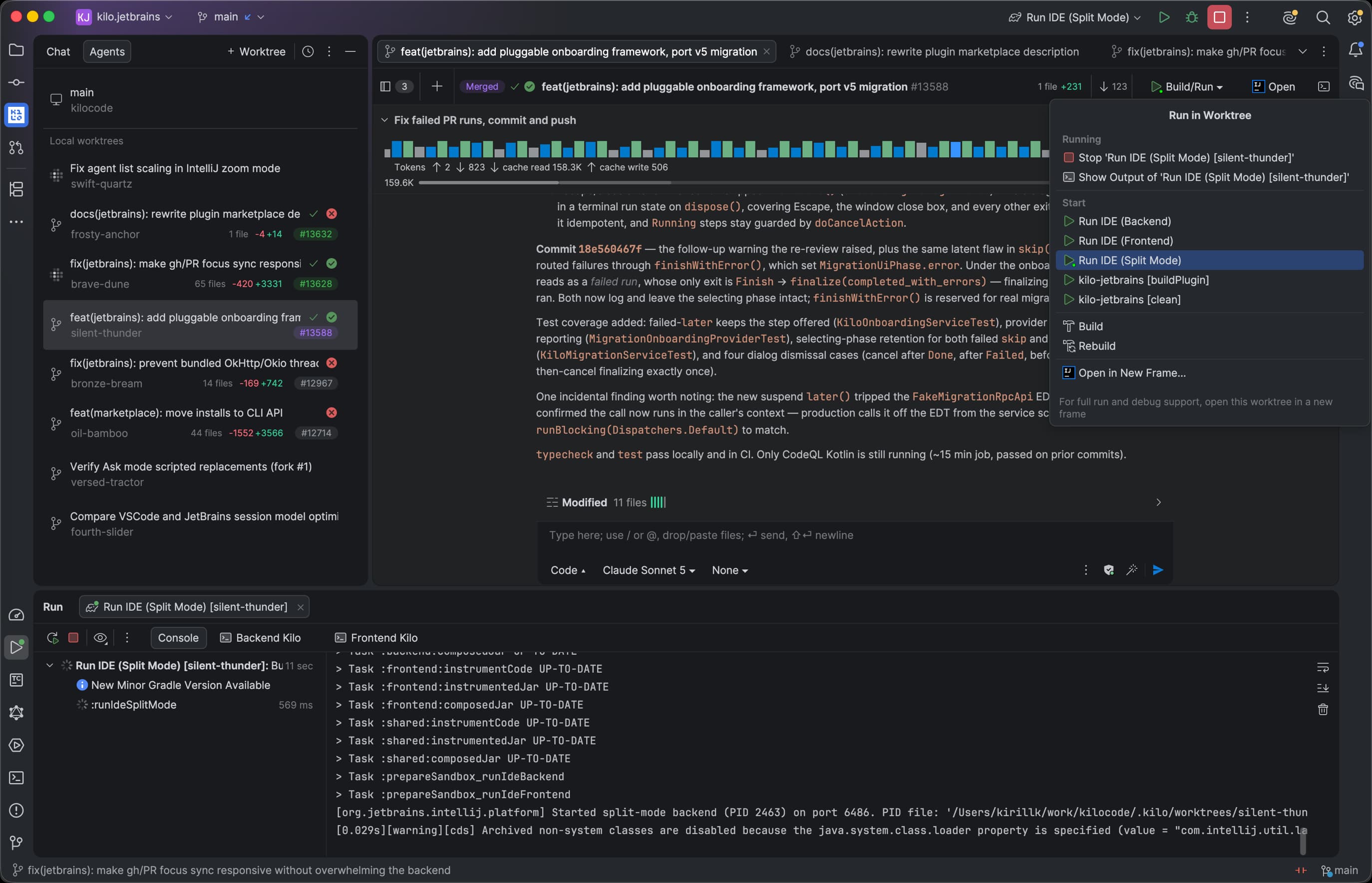
Create JetBrains run configurations for agent worktrees, see live run state, and open a worktree in a new IDE frame when you need the full debugger.
Run parallel coding agents in isolated worktrees, test their changes, follow every diff and PR, and choose from 600+ models without leaving JetBrains.


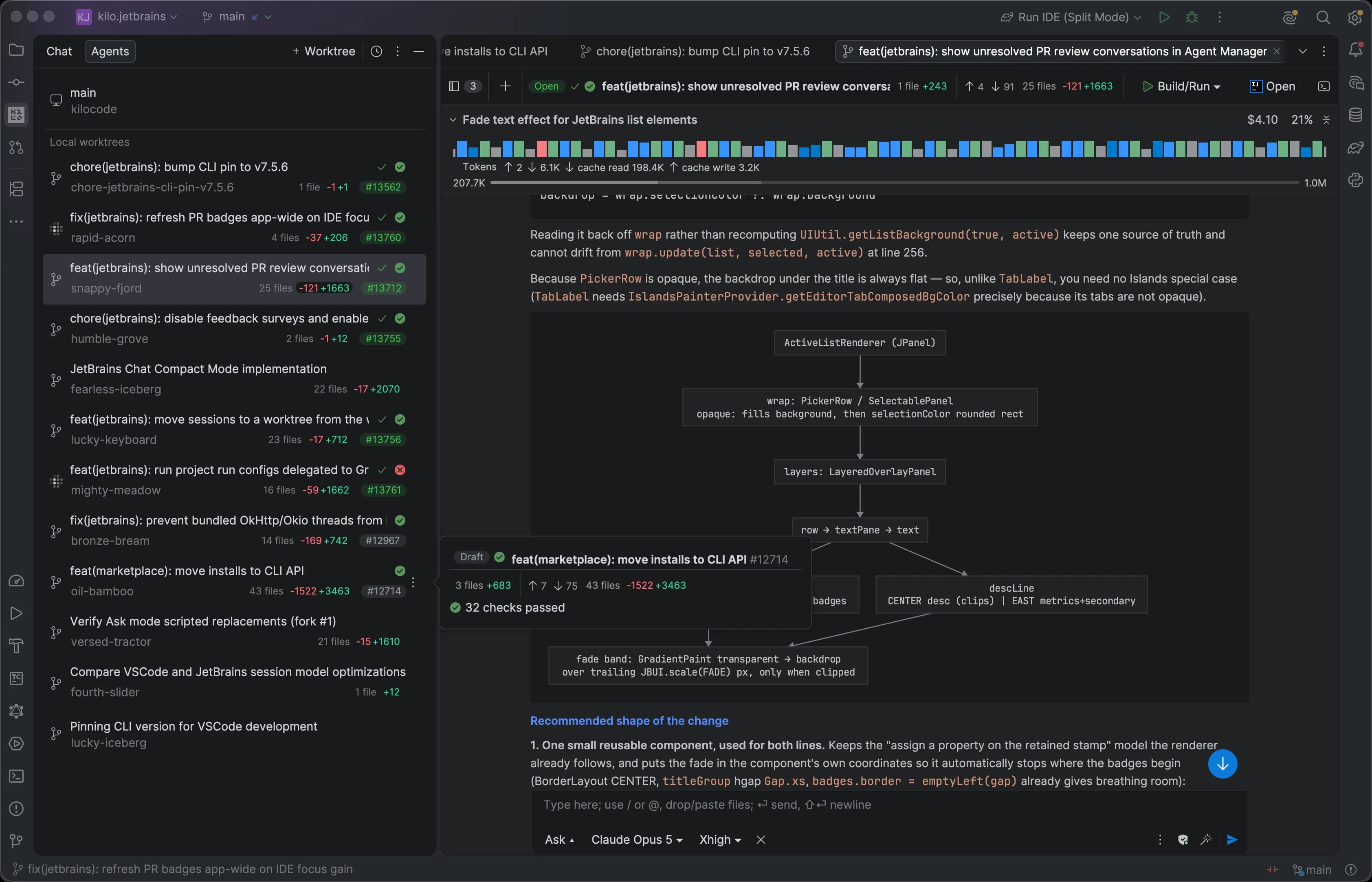
Built for JetBrains
Install Kilo directly into the JetBrains IDE your team already uses. Its purpose-built interface brings models, pricing, usage, and agent controls into your existing development workflow.
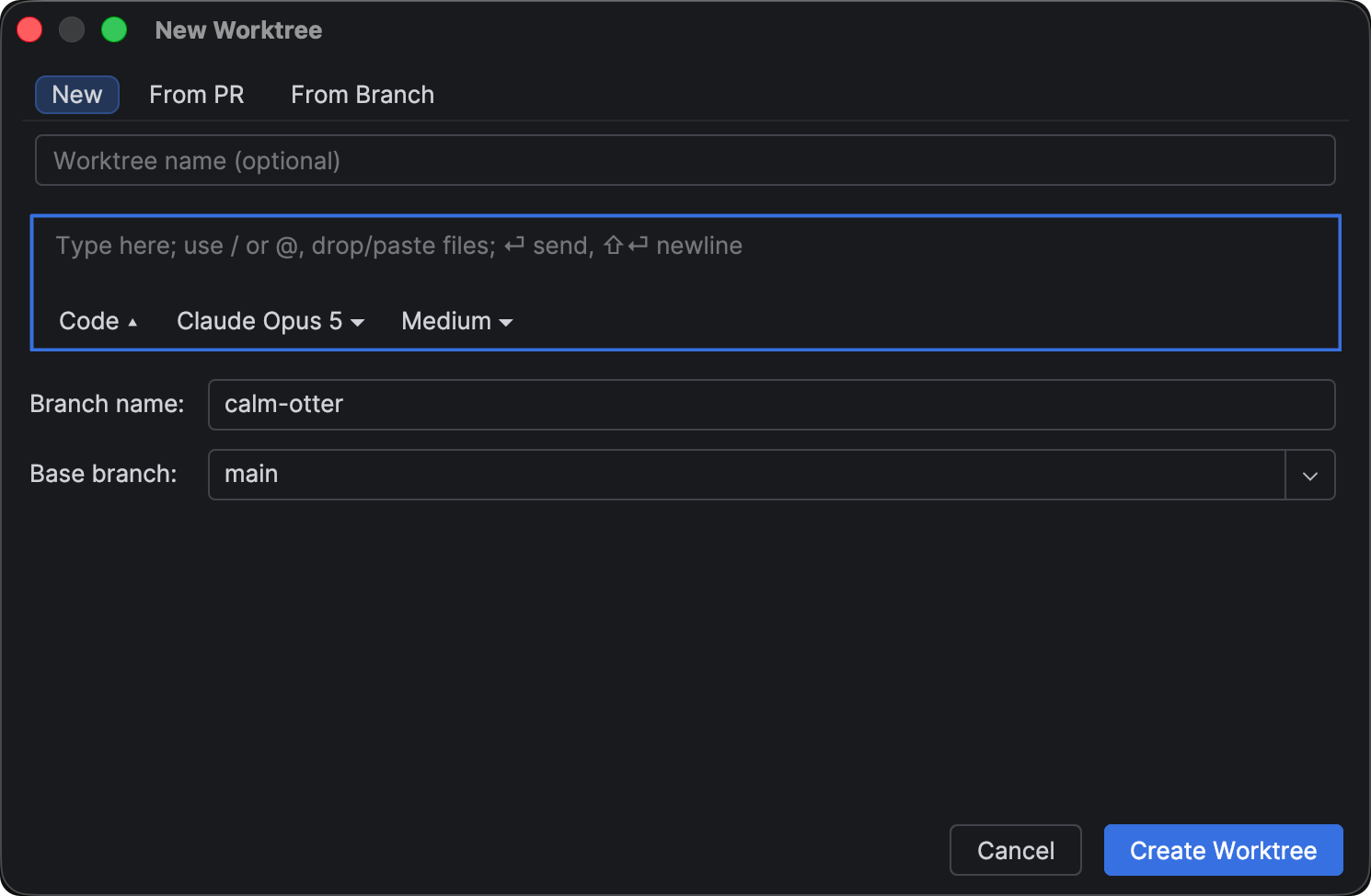
Agent Manager
Give every task an isolated git worktree, run and debug the results from one IDE frame, and keep the same open-source Kilo runtime across JetBrains and CLI.
Worktree-native workflow
Kilo connects agent execution to the JetBrains tools you already use to run, diagnose, and review code.
Create JetBrains run configurations for agent worktrees, see live run state, and open a worktree in a new IDE frame when you need the full debugger.
See uncommitted changes, compare each worktree against its base branch, and keep GitHub pull request status beside the task that produced it.
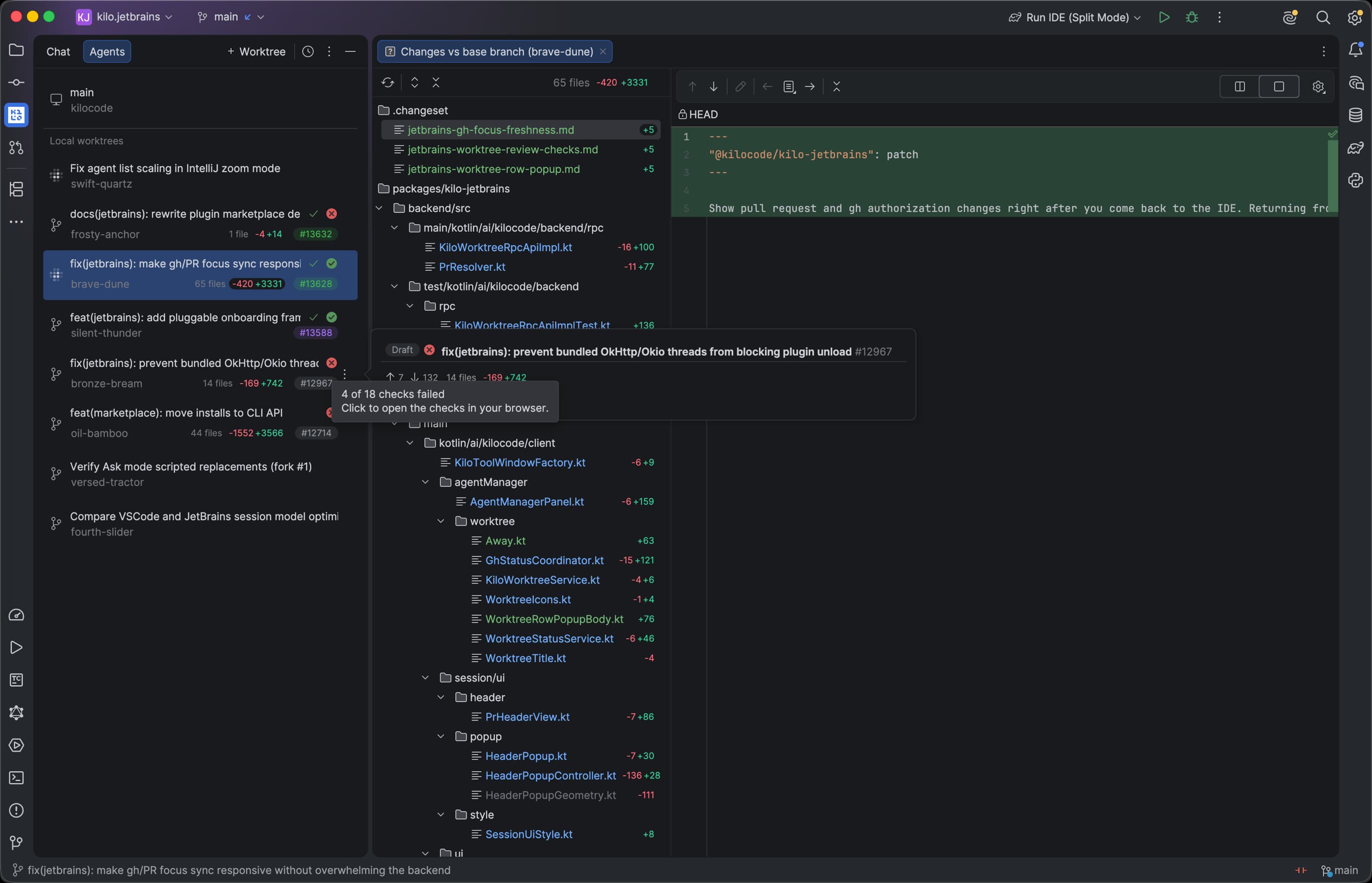
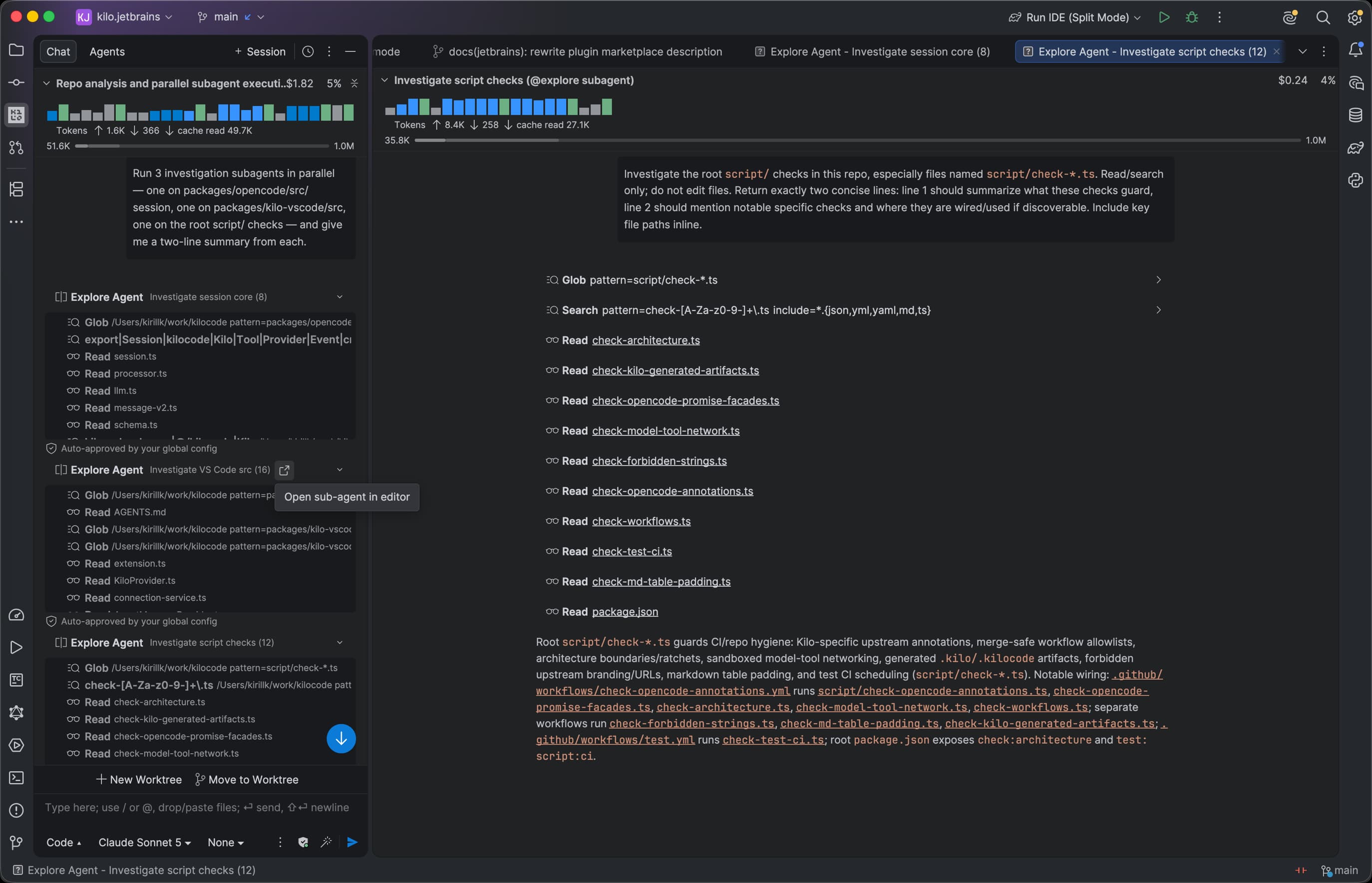
Open subagents in separate editor tabs, switch between their conversations, and keep implementation context close to the code each agent is changing.
Local UI, remote IDE
JetBrains split mode lets the IDE backend run on a remote machine while the interface stays responsive on your local machine. Kilo was architected for this model from the beginning, not retrofitted after the plugin was built.
Read the JetBrains split mode documentation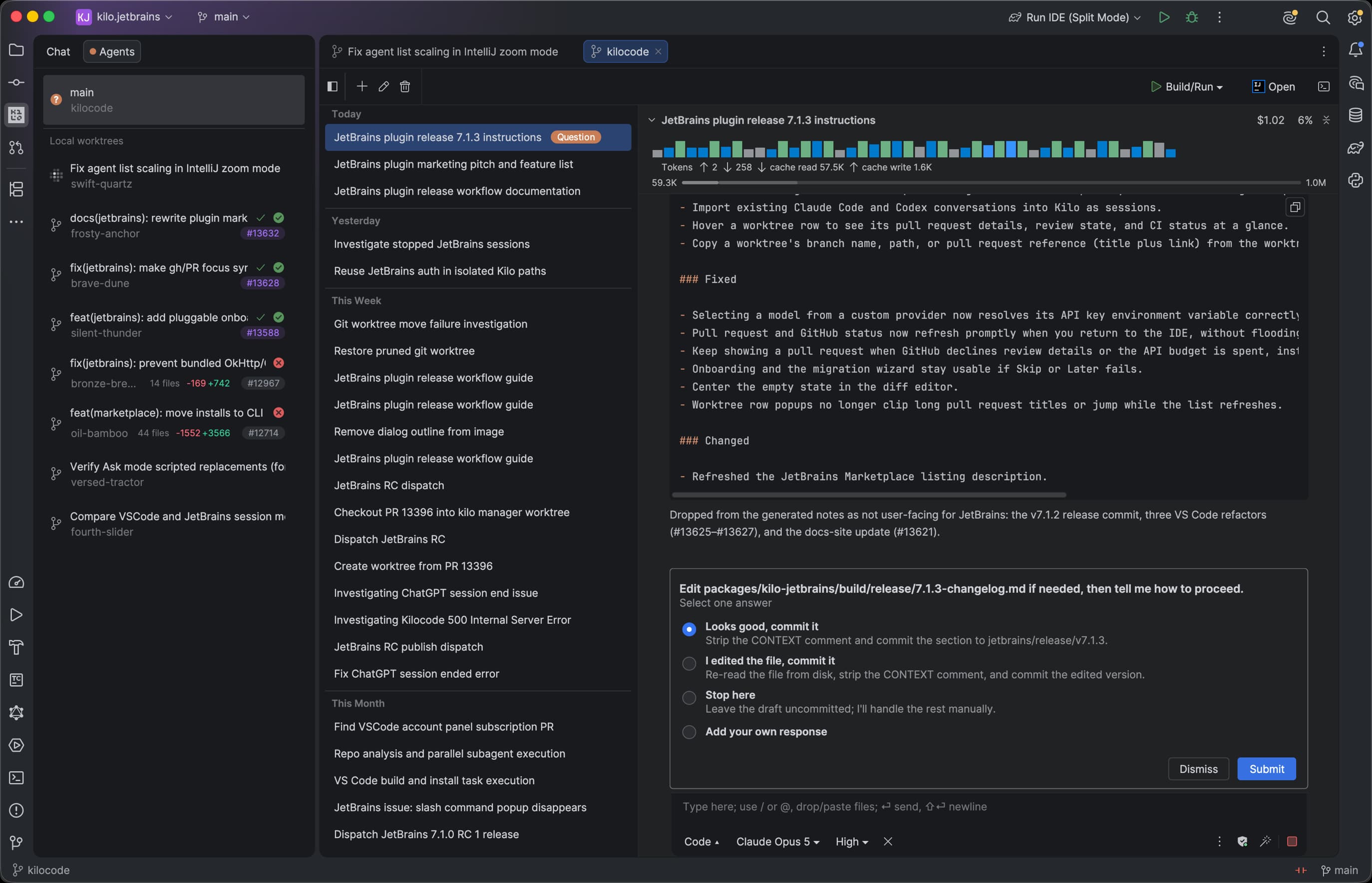
Remote machine
Run the JetBrains backend, source code, terminal, and development tools close to your remote environment and compute.
Local machine
Keep the visual interface local, including Kilo's purpose-built agent experience, while working against the remote IDE backend.
Why not ACP?
Many coding agents are available in JetBrains through Agent Communication Protocol (ACP). It provides a common interface that works natively and supports remote environments, but agents appear through the same standardized UI.
We chose not to take the ACP route because Kilo needs a custom interface for product-specific model selection, pricing, usage, features, and agent controls.
Quick comparison
The right choice depends on whether you prioritize model freedom, first-party JetBrains integration, autonomous tasks, or GitHub-native workflows.
JetBrains plugin, VS Code, and CLI
JetBrains-native assistant
JetBrains-native coding agent
JetBrains plugin
Pricing is approximate as of June 2026. Confirm current plans with each vendor.
Installation
Install from the built-in Plugin Marketplace. No custom repository or preview channel is required.
The guide covers installation, sign-in, and first-run setup.
Agent workflow
Move from understanding to planning, implementation, and diagnosis without forcing every request through the same workflow.
Understand unfamiliar code, trace behavior, and get answers grounded in your project without changing files.
Research the codebase, surface constraints, and turn an idea into an implementation plan before editing.
Implement features and refactors across files with access to your editor, terminal, tests, and project context.
Investigate failures systematically, form hypotheses, inspect evidence, and fix the root cause instead of guessing.
Model freedom
Match models to the work instead of tying your IDE to one provider. Switch between hosted, bring-your-own-key, and local options without relearning your coding agent.
Route across leading and open-weight model families through Kilo Gateway.
Connect supported providers directly and keep control of provider access.
Use Ollama, LM Studio, and compatible local endpoints for private workflows.
Use transparent provider pricing with no markup on AI token usage.
One Kilo platform
JetBrains specialists, VS Code users, and terminal-first developers can share one model platform and one set of team controls.
The Kilo Code extensions are MIT-licensed. Inspect how context is handled, audit the implementation, contribute improvements, or adapt the project to your requirements.
Explore Kilo on GitHubAdd centralized billing, usage analytics, role-based access, model controls, SSO, SCIM, audit logs, support, and SLA commitments as your organization grows.
Supported IDEs
Use the same native plugin across language-specific JetBrains environments.
Browse IntelliJ-based IDEs for every major language and stack.
Agentic Java and Kotlin development in Community or Ultimate.
Plan, build, and debug Python projects without leaving PyCharm.
Use Kilo across JavaScript and TypeScript applications.
Also supported: GoLand, PhpStorm, Rider, RubyMine, CLion, and DataGrip. Check the Marketplace listing for current version compatibility.
Install the native plugin today, or talk with our team about rolling Kilo out across your engineering organization.