Sling Work
"Slinging work" is how you give agents something to do. You can sling a single task (a bead) or a structured multi-step plan (a convoy).
Single Tasks
The simplest way to use Gas Town — describe what needs to be done, and an agent picks it up.
Ask the Mayor:
"Fix the 404 error on the /settings page — the route is missing from the router config"
Or use the Sling Work action in the town header. Either way, the reconciler assigns the bead to an available polecat. The agent reads the relevant code, makes the fix, runs any tests, and pushes a branch.
Writing Good Task Descriptions
The quality of agent output directly correlates with the clarity of your description:
| Approach | Example |
|---|---|
| Vague (avoid) | "Fix the auth" |
| Specific (better) | "Fix the JWT token expiration — tokens should last 24h, not 1h. The constant is in src/auth/config.ts" |
| Contextual (best) | "Fix #142: users are getting logged out after 1 hour. The issue is the JWT expiration in src/auth/config.ts is set to 3600 (1h) but should be 86400 (24h). Add a test to verify." |
Include:
- What needs to change
- Where in the codebase (file paths if you know them)
- Why it's needed (link to issues, error messages)
- How to verify (tests to run, behavior to check)
Convoys
Convoys are where Gas Town really shines. Instead of one agent doing everything in one pass, convoys break complex work into stages where each builds on the last — with adversarial review at every step.
Why Convoys?
Single-pass agent output has a quality ceiling. The longer an agent works on one task, the more likely it is to accumulate compounding errors. Convoys solve this by:
- Decomposing complex work into focused, reviewable chunks
- Sequencing so later steps build on reviewed, merged code
- Reviewing each chunk independently before it becomes the foundation for the next step
- Containing failures — if step 3 fails, steps 1 and 2 are already safely merged
Creating a Convoy
Via the Mayor:
"Create a convoy to migrate the database from PostgreSQL to MySQL. Steps: 1) audit current schema and queries, 2) design the new schema with migration plan, 3) implement the migration scripts, 4) update the application layer, 5) add integration tests"
The Mayor converts this into a convoy with proper dependencies.
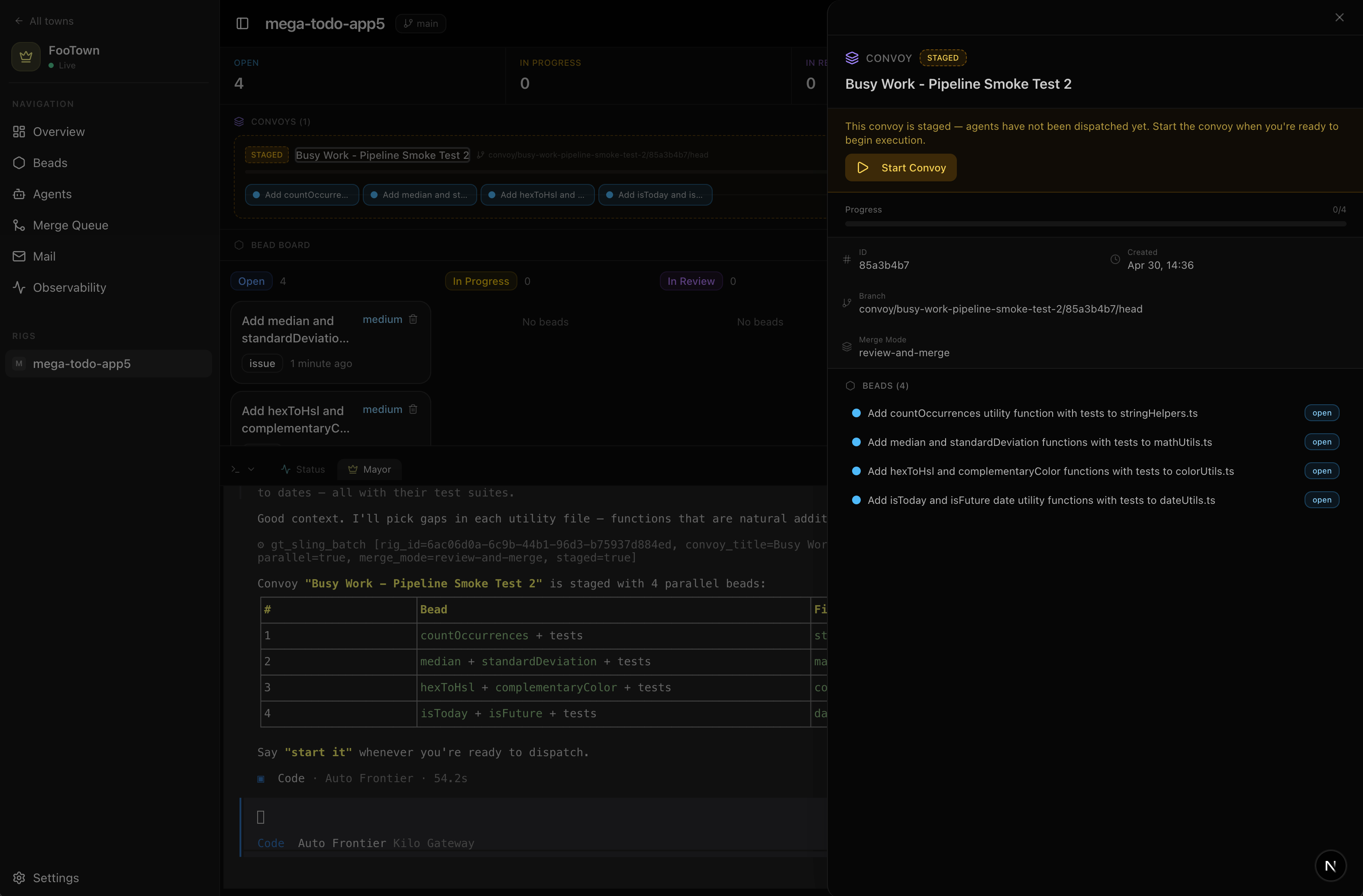
Convoy Execution
Once started, the reconciler manages the convoy:
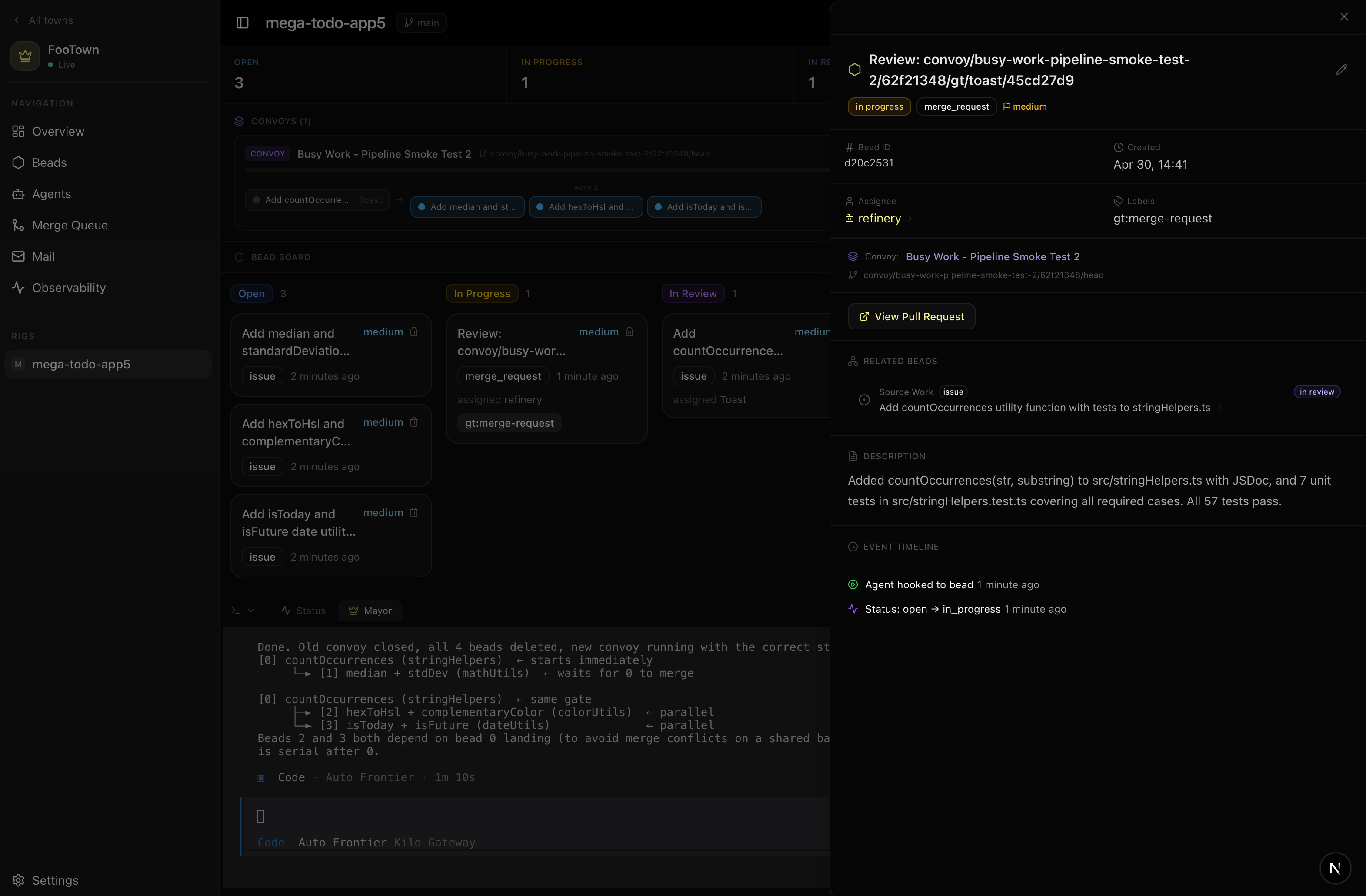
Key behaviors:
- Each polecat starts from the convoy feature branch, which accumulates all previously merged work
- Beads only dispatch when their dependencies are satisfied (upstream beads closed)
- The refinery reviews each sub-PR against the convoy branch
- Once all beads close, a landing review checks the full combined diff before merging to main
The Adversarial Advantage
The convoy pattern creates layered adversarial review:
- Per-bead review — refinery critiques each individual contribution
- Context accumulation — each agent builds on verified, reviewed code
- Landing review — the complete feature is reviewed holistically
- Combined with Kilo Code Review — if configured, human reviewers see the final PR too
This means code goes through 3-4 review passes before landing in your main branch. Bugs get caught at the smallest possible scope where they're cheapest to fix.
Staged Convoys
By default, convoys are created staged — the plan exists but agents don't start until you un-stage it. This lets you:
- Review the task breakdown before execution
- Adjust descriptions, add context, reorder
- Ensure the plan makes sense before burning compute
Un-stage via the convoy detail page or ask the Mayor: "Start the database migration convoy"
Assigning Priority
Beads have priority levels: low, medium (default), high, critical.
Higher priority beads are dispatched first when multiple beads are waiting for agents. Set priority:
- In the Sling Work dialog
- Via the Mayor: "Make the auth fix high priority"
- By editing the bead after creation
Watching Progress
Rig Page — Convoy Tracker
The best place to observe your town in action is the rig page. At the top, active convoys show their progress as a visual tracker — each bead in the convoy displayed with its current status and dependency relationships. You can see exactly where in the DAG execution has reached and which beads are blocking downstream work.
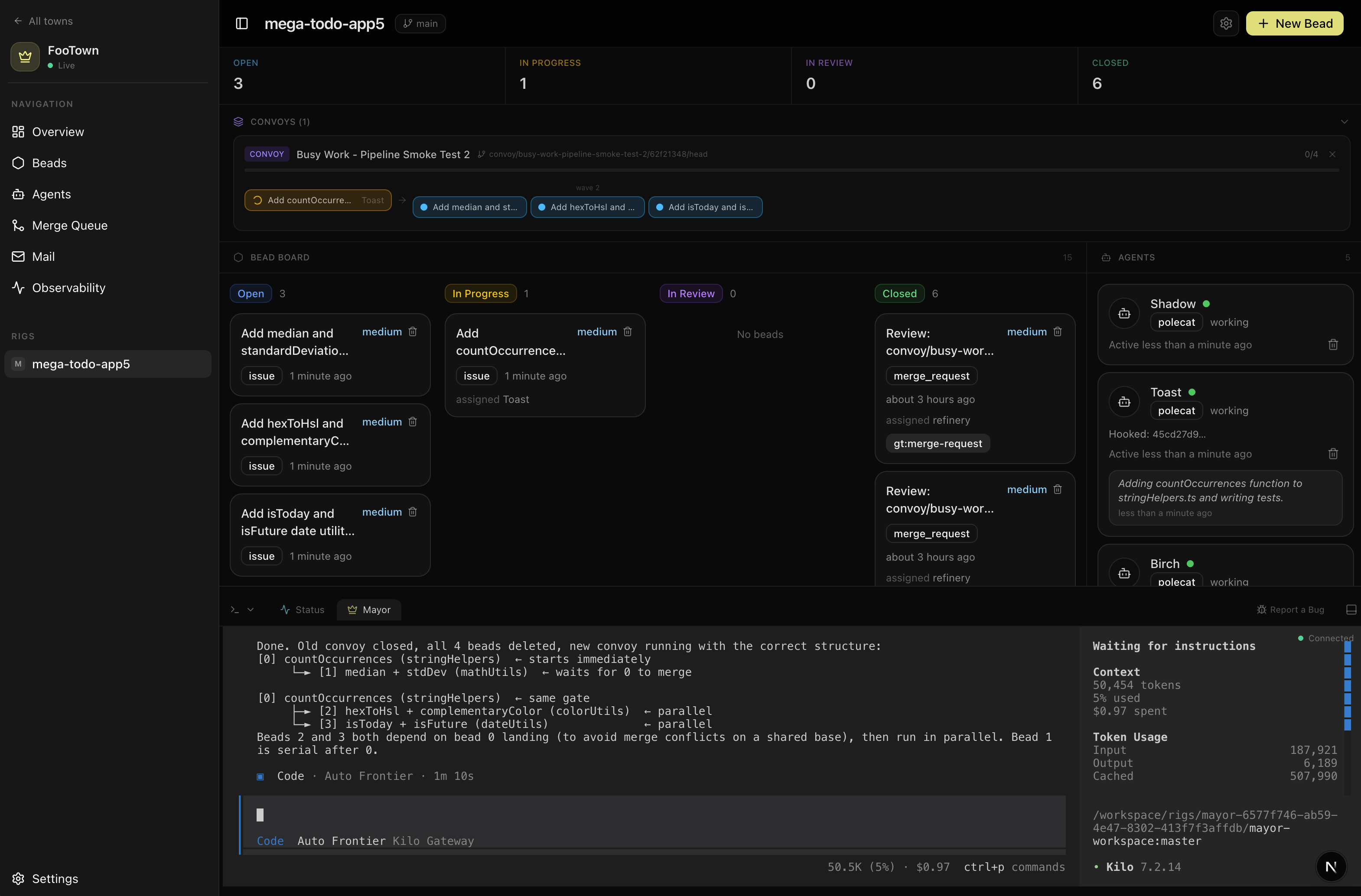
Rig Page — Kanban Board
Below the convoy tracker, a kanban board shows beads organized by status — open, in progress, in review, and closed — updating in real-time as agents move work through the pipeline.
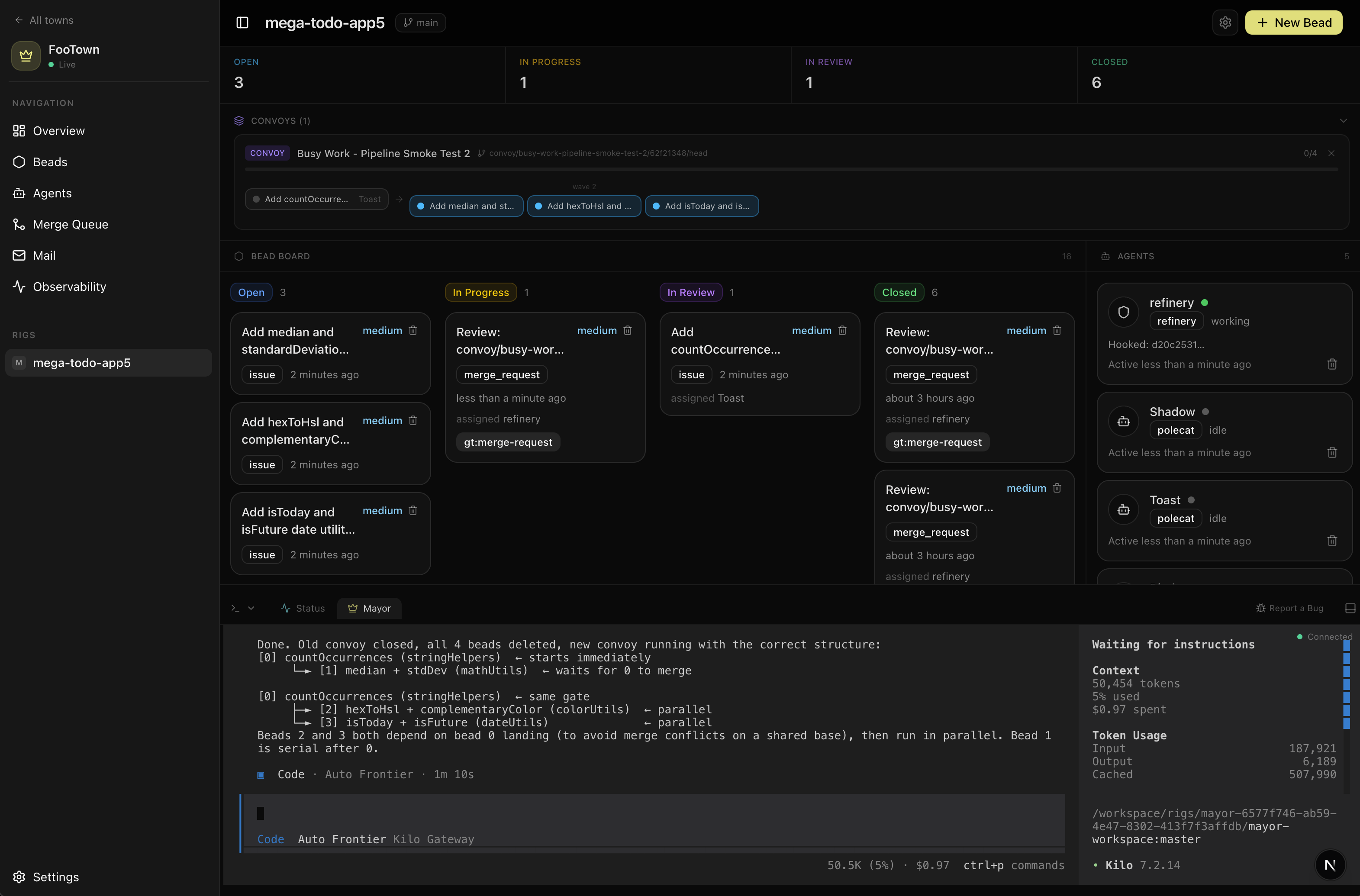
You can see at a glance:
- What's queued up (open column)
- What agents are actively working on (in progress)
- What's awaiting review (in review)
- What's shipped (closed)
Beads move through columns autonomously as the reconciler dispatches agents and work progresses.
Beads Page
For a more detailed, filterable view across all rigs, the beads page shows every bead in your town. Filter by:
- Status (open, in progress, in review, closed, failed)
- Type (issue, merge_request, convoy)
- Rig (if you have multiple repos)
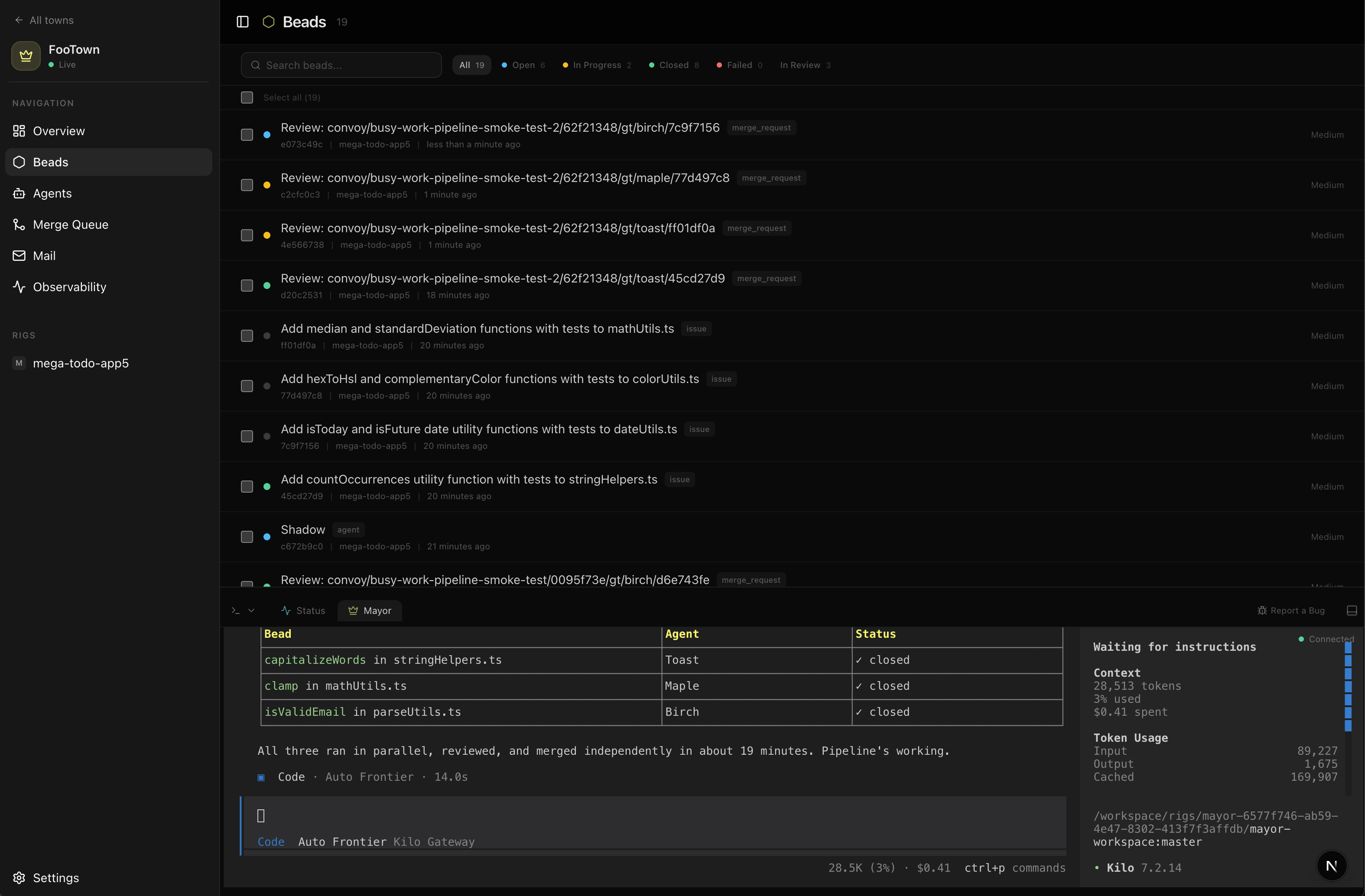
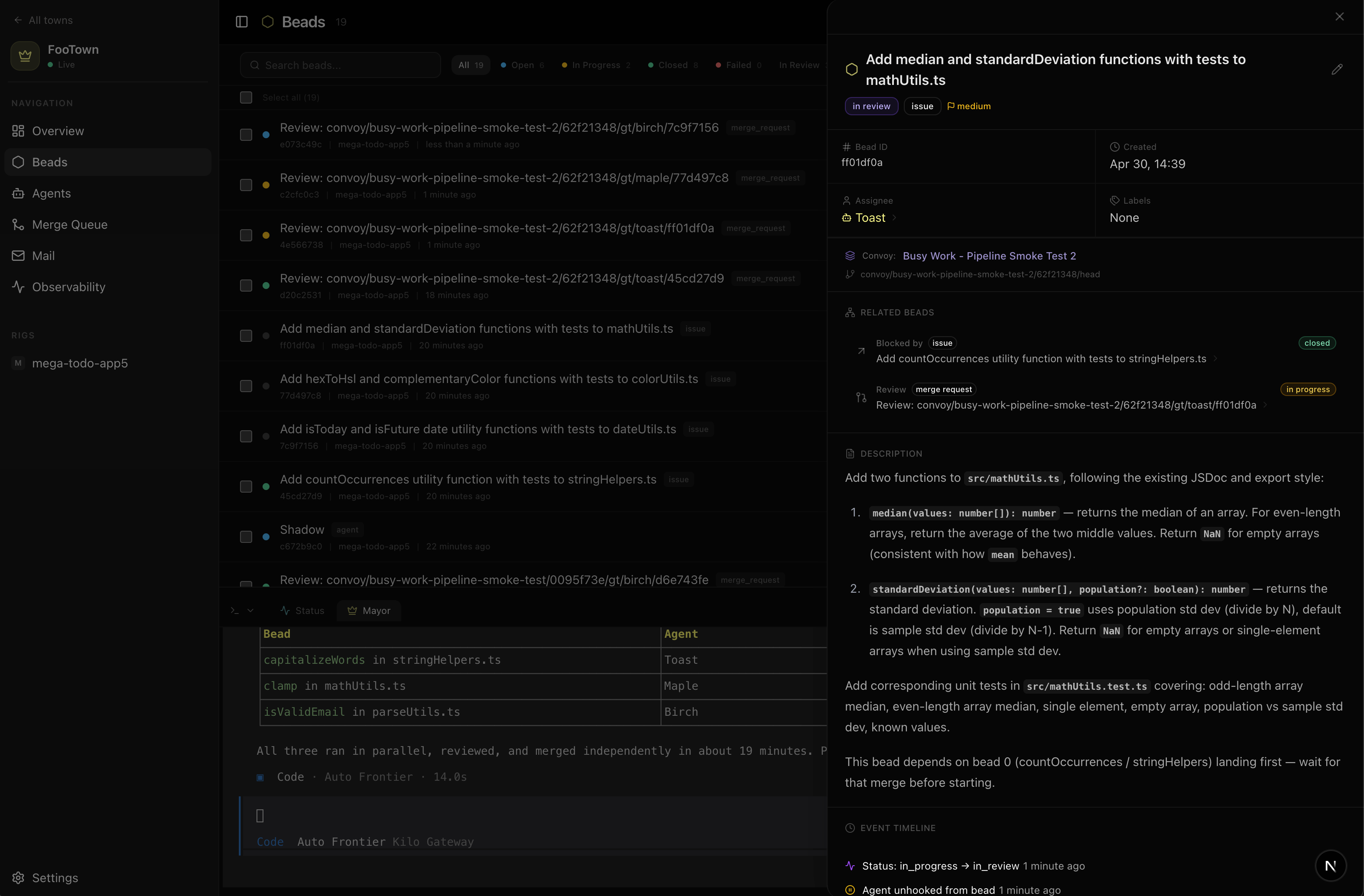
Click any bead to see its full detail — description, event history, agent activity, and review feedback:
Town Overview
The town overview shows a high-level summary:
- Active agents and what they're working on
- Recent completions
- Pending work queue
Real-Time Events
The event timeline shows every state transition as it happens — bead dispatched, review submitted, merge completed. Useful for understanding the flow when you want to see exactly what's happening under the hood.