Mobile Apps
Use Kilo Code from your phone to keep coding sessions moving while you are away from your desk. The mobile app connects to Cloud Agents and remote sessions from your local CLI or editor extensions.
What you can do
The mobile app lets you:
- View and manage Kilo Code sessions, including remote CLI and extension sessions running on your local machine.
- Spawn Cloud Agents and code directly from the app.
- Monitor and view all non-remote sessions in one place.
- Send follow-up messages while a session is still running — they are queued and processed in order.
- Run slash commands (like
/compact) on connected remote CLI sessions, and start a new session in the same workspace with/new. Typing/also lists the session's skills next to the commands; a skill row carries a Skill badge, and selecting it invokes that skill in the session. The new session inherits the current session's mode and model. Older CLI versions that do not support remote commands prompt you to upgrade. - Track a session's goal from a fixed section under the session header, and start or control one with
/goal. - Clear the visible transcript of a remote CLI session with
/clear. Clearing is client-side only, so it works on any CLI version; server history is kept and may reappear when you re-enter the session. - Rename a remote CLI session from the app or the CLI — renames sync in both directions.
- Copy a link to the message on screen from the session header, then open it on the web or another device to continue from the same position.
- Review GitHub pull requests, GitLab merge requests, and Bitbucket pull requests end to end — diffs, checks, comments, and merging.
- Start a new session on a connected
kilo remoteCLI instance with the Run on picker. - Browse the files an agent produced straight from your phone's file browser — see Agent artifacts in your file browser.
- Use the Kilo tools from a signed-in chat, with no key or URL to configure — see Kilo tools in chat.
App actions
Four actions are available from outside the app. On iOS they appear in the Shortcuts app; on Android the same four are addressable from the launcher, the Assistant, or another app.
| Action | What it does |
|---|---|
| Start agent | Starts a new session and reports it to the caller. Runs with the app closed. |
| Open agent needing input | Opens the only session waiting for input, or the Agents list when none or several are waiting. |
| Open session | Opens a session in the app. |
| Open pull request | Opens a pull request or merge request from a review link. |
Start agent uses the same create path as the in-app new-session screen, including your repository, model preference, and mode. An unsupported GitHub or GitLab repository reports a repository-specific reason and a next action, and a start-agent request with no prompt is refused as prompt-required instead of being left to time out.
Open session and Open pull request open the same screens as their in-app controls. A pull request link that is not a review link reports the app's not-a-pull-request message and opens nothing.
App icon shortcuts and Quick Settings tile
On Android, long-press the Kilo app icon to open the app shortcuts New agent, Needs input, and Open last session. On iOS, long-press the app icon to see the same actions as Home Screen Quick Actions. Each opens the same screen as the matching in-app control.
- New agent opens the new-agent composer.
- Needs input opens the session that is waiting for input. It appears only while at least one session is waiting and disappears again when nothing is waiting.
- Open last session opens the session you last opened. It is available after a cold start even when your account identity resolves after the chat screen first renders.
On Android, the Kilo Quick Settings tile mirrors this state. While a session is waiting, the tile reads Needs input and opens the chat of the session that has waited longest; with nothing waiting, it reads New agent and opens the new-agent composer. If the backend is unreachable, the tile still opens the last published waiting session and shows no error of its own. Signing out removes Needs input and Open last session from the app shortcuts and the tile.
App shortcuts require Android 7.1 (API 25) or later; the Quick Settings tile works on Android 7.0 (API 24) or later.
Finding sessions
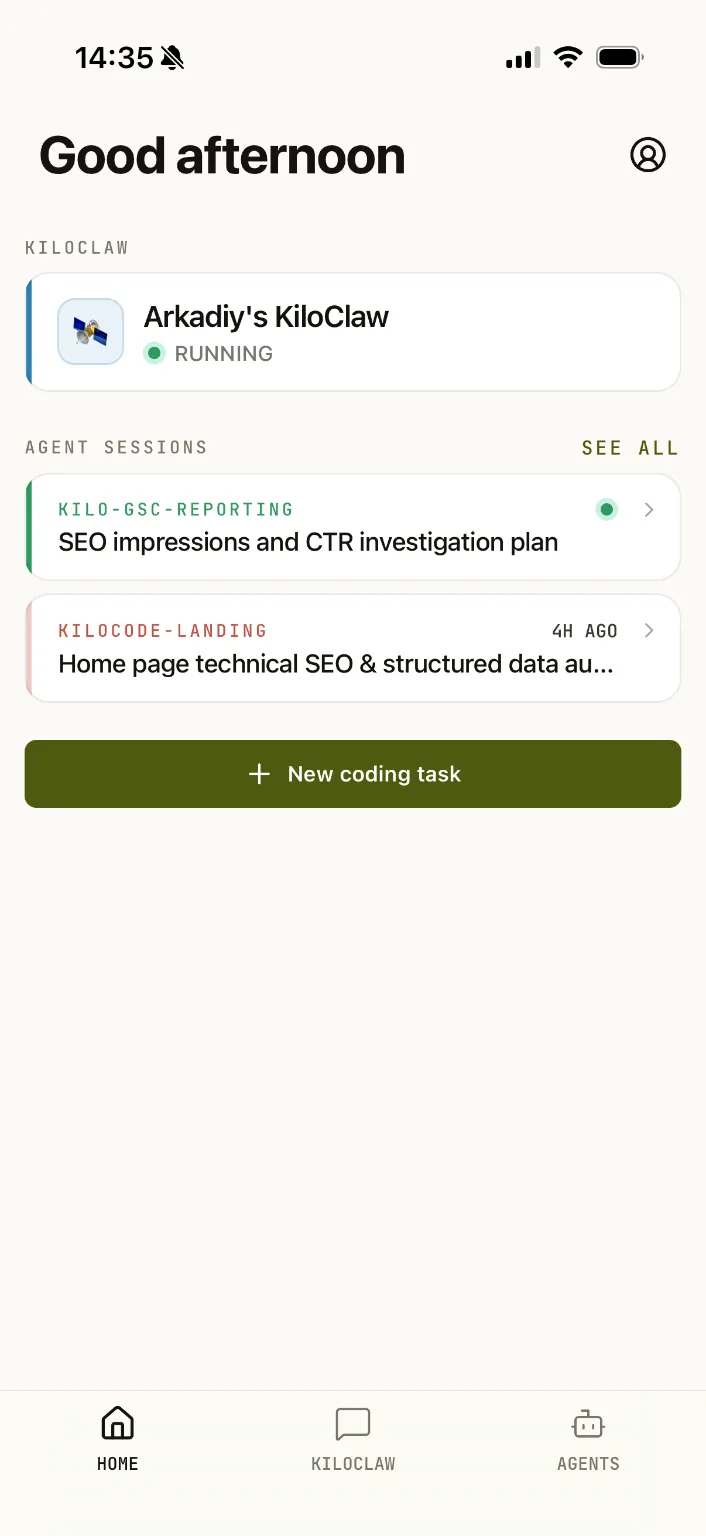
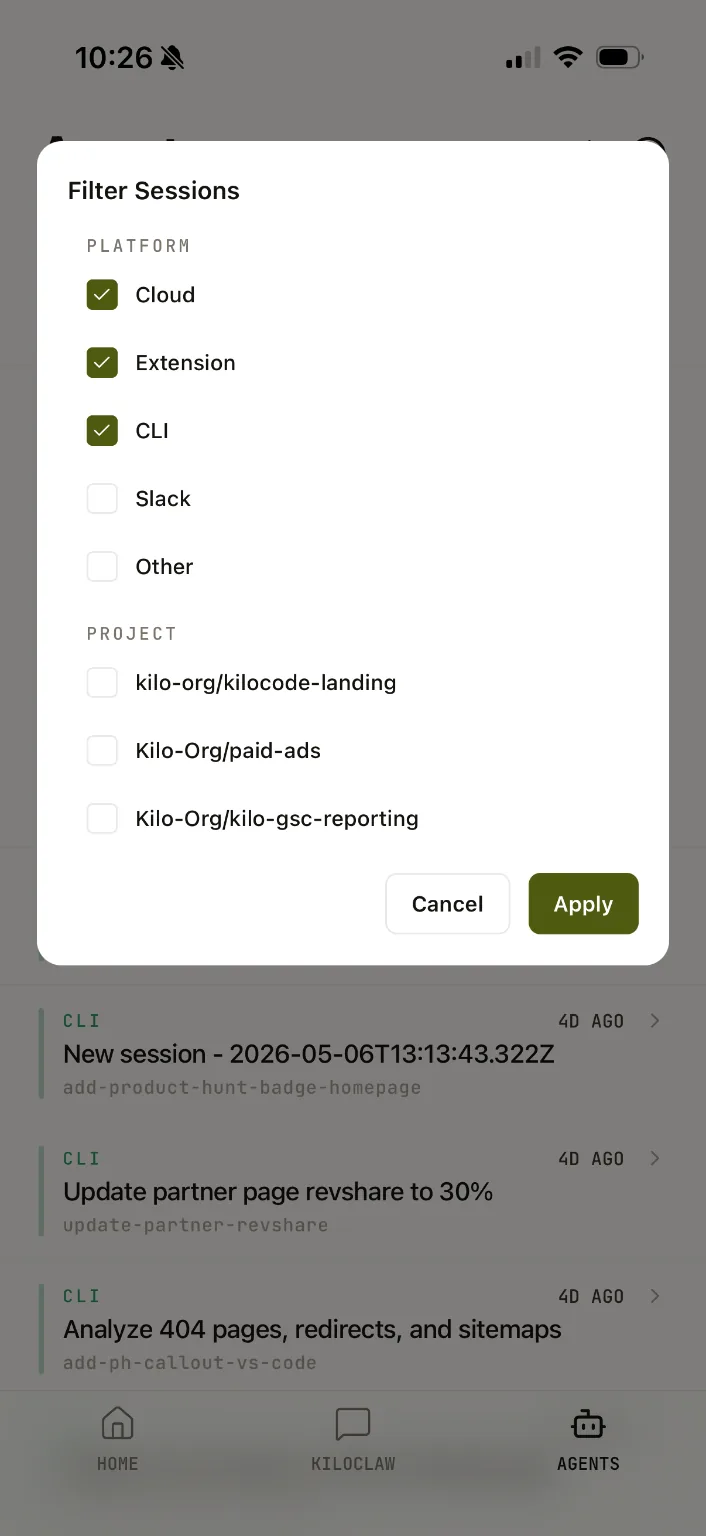
The Agents tab shows live sessions. Tap See all there to search past sessions, filter by platform or project, and change the sort order. See all on Home opens the live Agents list instead.
Sessions, pull requests, and security findings from the app also appear in your phone's own search — Spotlight on iOS and AppSearch on Android. Tapping a result opens that item's screen in the app. The index is built only from data the app already has, with no background fetch. Signing out, or switching accounts, removes the previous account's entries from the phone's search even when the index was mid-refresh.
Privacy and telemetry
On first launch, the app asks for your consent before enabling optional telemetry — product analytics, attribution, and performance tracing. Optional telemetry is pre-selected during onboarding; you can turn it off before accepting. No optional analytics starts before you make a choice.
You can review or change your decision at any time in Settings. Declining optional telemetry keeps you signed in, and optional telemetry state stored on the device is stopped and discarded when you revoke consent or sign out.
App lock
Turn on Unlock with biometrics in Settings > Preferences to protect the app on this device. It asks you to unlock at launch and after five minutes in the background, with your device passcode available as a fallback. Locking hides your sessions and open sheets without discarding drafts or navigation. The switch shows progress while it updates and is disabled during an unlock or a setting change. If device security is unavailable or an unlock fails, the unlock screen offers Retry and explains the problem.
Links and images in chat
Images embedded in model replies stay hidden until you tap Load. The app shows the image's host first and only loads HTTPS images.
Web links in model replies ask you to confirm the destination host before opening. Choose Trust this host to skip future confirmations for that host. Review or revoke trusted hosts in Preferences > Trusted hosts; signing out clears the list. This confirmation applies to HTTP and HTTPS links, not other link types.
Language and region
The app follows your device language, with English as the fallback. Choose another language from the login screen or Preferences. The picker supports search and shows languages in their own scripts. Dates, times, and currency formatting follow the selected language. Switching between left-to-right and right-to-left layouts restarts the app.
Kilo Pass and billing
For Kilo Pass pricing, billing, and account management details, use the Kilo Pass pricing page.
Kilo Pass is not sold inside the iOS or Android app. Subscribe to or change your Kilo Pass on the web instead. If you try to buy a Kilo Pass in the app, it shows Kilo Pass purchase is not available right now. The Android app can open the web to manage a Kilo Pass you already have; the iOS app does not offer that link.
Buying credits in the app
The personal credits section shows an Add credits entry at any balance, which opens a Buy credits screen with your current balance and four preset packs: $10, $50, $100, and $500. The stores sell fixed products, not arbitrary amounts, so the app offers these preset packs rather than a custom amount. Each row shows the credit amount and the store's localized price; a pack the store cannot price is disabled and reads Price unavailable.
Selecting a pack opens the store's own purchase sheet — StoreKit on iOS, Google Play Billing on Android. The app never grants credits itself: credits are added only after the backend validates the purchase with the store. A successful purchase shows a confirmation and refreshes your balance, and a cancelled purchase shows no error. If a purchase fails, the screen shows one inline message with a retry action; if the store is unreachable, it shows one banner naming that store while keeping the four packs visible. A purchase the backend has not yet credited is recovered the next time the app connects, and a refunded pack has its credits reversed.
For other ways to add credits, see Adding Credits.
Choosing where a session runs
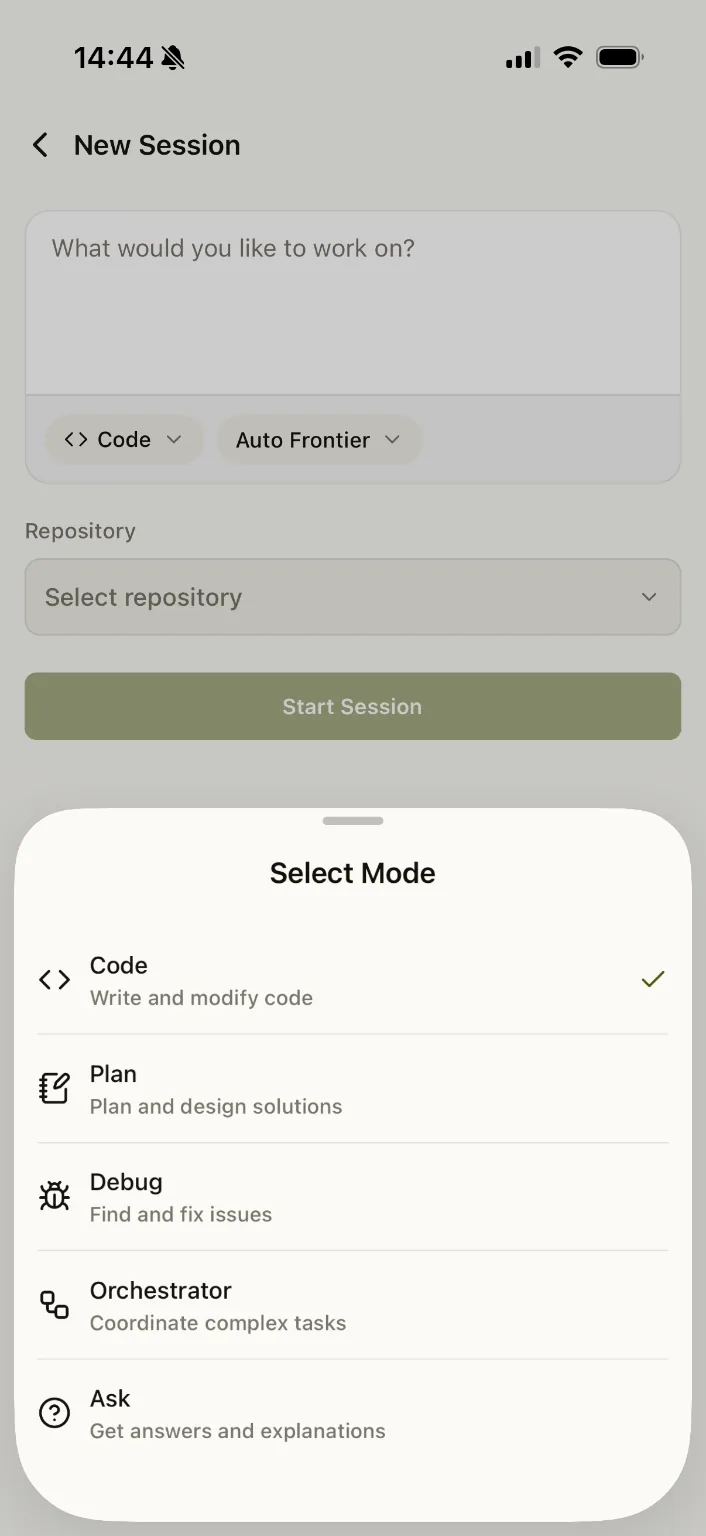
The new-session screen includes a Run on picker that chooses where your session runs:
- Cloud Agent — the managed cloud environment (the default).
- A connected instance — a
kilo remoteCLI running on your own machine. The picker lists the instances currently connected to your account under Remotes and Terminals groups, each with its own icon. Each connection shows its branch and start date and time when available.
Remote sessions start with the mode and model selected on the new-session screen; older CLI versions that don't accept those fields fall back to their own defaults. By default, the workspace is the CLI's launch directory. Use Folder to choose a child folder, including nested folders, before starting. If the CLI cannot list folders, the app explains this and starts in the launch directory instead. In organization context, the new session belongs to that organization.
For Cloud Agent sessions, choose a repository from GitHub, GitLab, or, for organizations, Bitbucket. The picker groups repositories by provider and includes Recently used. Each provider has its own connection and error messages, so a problem with one does not hide the others.
Cloud Agent sessions also offer a Sandbox field, which starts on the backend's default destination. Tap it to pick a sandbox type from a sheet that groups the types the backend offers by provider; the field then shows the choice, such as Cloudflare · Shared. While the options load, a field-sized skeleton holds the slot, and a failed load shows Couldn't load sandbox options with Retry. If a chosen type is no longer offered, the field shows why and offers Use Default, and you cannot start until you resolve it. Starting sends the type you picked, or the backend default when you pick nothing. Owners without sandbox selection see no Sandbox field.
Agent environment profiles
The Profile tab lets you browse, create, edit, and delete agent environment profiles from your phone. Profiles are personal or organization-owned, and you can manage their repository bindings and reorder them with the up and down buttons. Each profile row shows its MCP server count.
When you start a session, pick a profile in the new-session screen or choose No profile. The active profile appears as a chip on the new-session and session screens; in an organization session, tap the chip to open the profile in its owner's scope. You can also change the profile under Advanced Configuration while starting a session. Environment variables and setup commands you enter under Advanced Configuration are sent with the session even if you do not save them to a profile.
The profile editor manages the profile's environment variables, setup commands, slash commands, MCP servers, skills, and agents. Secret values stay masked until you reveal them; enter a new value to rotate a secret. To save the current environment variables and setup commands as a new profile, use Save as Profile, which appears once a setup command has text. Marking a profile as the default updates it for the profile's owner.
Starting a session from a picture
Home has a New task from a picture button beneath the new-task button. It offers Camera and Photo Library, with Cancel last. Taking a photo or picking a screenshot opens the ordinary new-agent composer with the image attached, where you can add typed text before starting the session. The photo library asks for a single selection, so one tap attaches one image. Cancelling the sheet or the system picker returns to Home without starting an agent.
Continuing a finished session
Open a finished session and tap Continue to copy its conversation into a new session. The form starts with the source repository, mode, model, and reasoning variant. Choose Cloud Agent or a connected CLI in Run on, then tap Start.
The CLI must support importing sessions. If it does not, the app explains why and disables Start rather than creating an empty session. An unavailable model or repository also prevents starting until you choose an available option.
Live session counts
When an organization is selected, the Agents screen shows how many of its sessions are live above the title, and the Agents tab shows a matching badge that stays visible from other tabs. The count disappears while sessions are loading, after an error, and when no sessions are live.
Auto-approve for a session
The session context sheet has an Auto-approve row at the top. Turn it on to approve that session's permission asks automatically: the permission card is skipped, and an ask that is already waiting is resolved. Turn it off to make the next permission ask show its card again.
Auto-approve applies to one session only, so other sessions keep prompting. Clarification questions always show their card and are never auto-answered. The row shows whether auto-approve is on, off, or unavailable, and warns that tools then run without a prompt; sessions that cannot auto-approve, such as read-only sessions, show the row disabled with the reason.
The toggle is kept in memory for the session and never changes your global auto-approve configuration. Signing out or switching accounts turns auto-approve off for every session.
Kilo tools in chat
A signed-in chat can reach the Kilo tools automatically using your signed-in session — there is no key to paste and no URL to enter. The model sees the available Kilo tools (named mcp_kilo_*) and can call them, reading their answers in the reply.
Every chat has a Kilo tools switch in its Kilo tools sheet. It is on by default, and your choice is kept when you reopen the chat or switch models. With the switch off, the chat sends no Kilo tool to the model and contacts no server.
The Kilo tools sheet names the connection state and offers Retry only when retrying can help. If the server is slow, refuses the session, or disappears mid-chat, the chat stays usable and reports what happened; a failed call reaches the model as a failed tool result.
Signing out drops the connection and its tools, and signing in as another user never shows the previous account's tools.
Hiding thinking details
Turn on Hide thinking details in Settings → Preferences → General to remove thinking rows, collapsed thinking items, and thinking text from the session page, including streaming and loaded sessions and the subagent sheet. The setting is off by default and is remembered across app launches.
While a model streams reasoning, the composer and subagent spinners still read Thinking. With the setting off, the session page behaves exactly as before.
Queueing follow-up messages
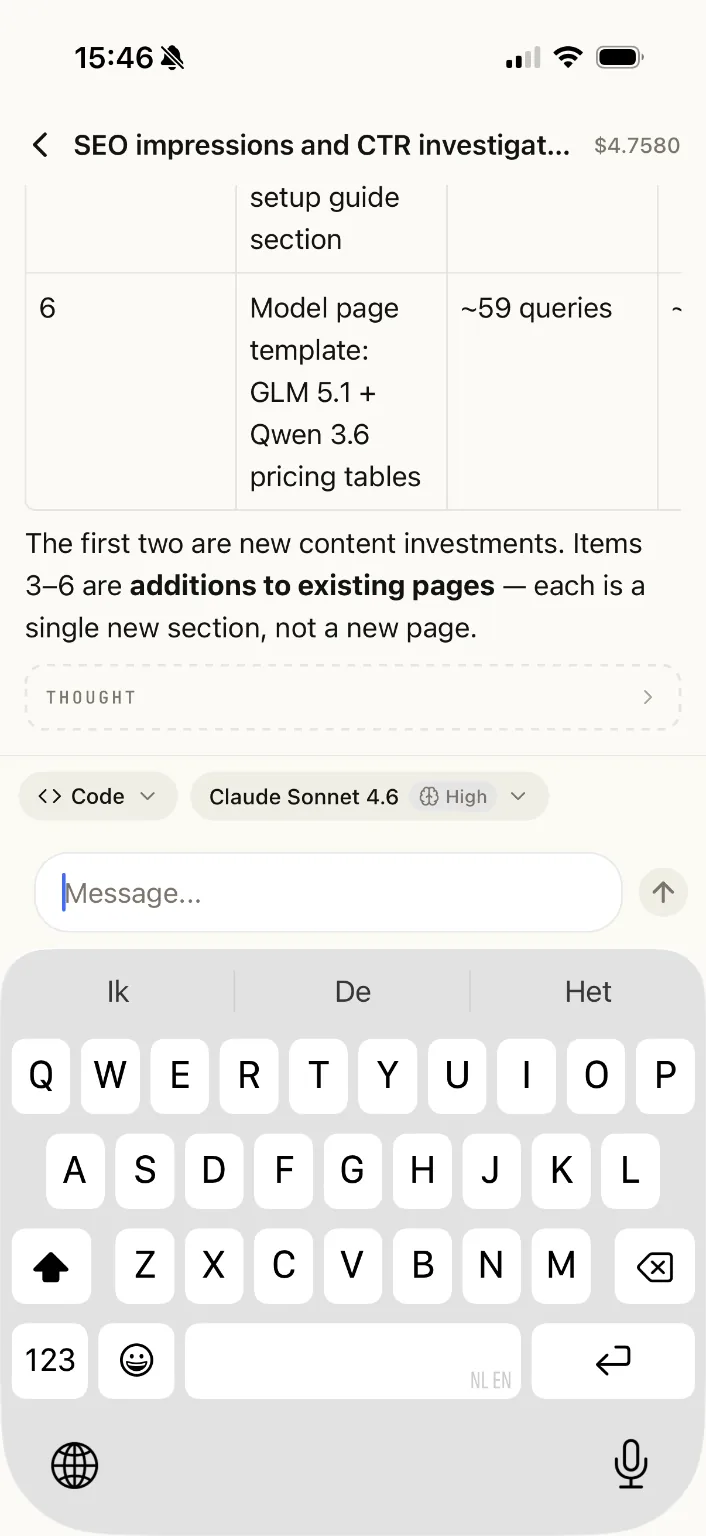
The composer stays editable while the agent is working, so you don't have to wait for a session to finish before sending your next message. Type your follow-up and press Send to add it to the session's queue; queued messages are processed in order. While a session is streaming, Stop appears only when the composer is empty — with text entered, Send takes its place.
A queued message shows a subtle Queued badge on its bubble. The badge clears when the message starts processing or when the queue drains or is cancelled. Queueing works for Cloud Agent sessions and for remote sessions on a connected kilo remote CLI instance.
Voice input
Dictate prompts with the microphone in the composer. Voice input uses one of two engines:
- On-device (default) — the operating system's speech recognizer.
- Kilo Gateway — turn on Gateway transcription in Preferences to transcribe through your Kilo account.
The switch is a two-way choice, not a fallback: the selected engine owns the whole dictation and the other engine is never called. The choice applies to every voice dictation in the app.
With gateway transcription on, dictation uses the transcription model you pick in the transcription settings. If you have not chosen a model, the app uses the first model the gateway offers. The chosen model persists across app launches. Gateway transcriptions respect your organization's provider allow-list and data-collection policy.
While the gateway transcribes, the composer shows Transcribing... and the microphone button cancels the upload. An unreachable gateway, an unavailable model, no speech, and a timeout each show their own message; an unavailable or unset model opens the transcription settings.
Attachments in remote sessions
When you connect the mobile app to a kilo remote CLI session, you can share files in both directions.
Sending files from your phone to the CLI
Attach up to 5 files (each up to 20 MiB) from your phone to the remote session. The CLI automatically processes them:
- Text, images, and PDFs — the file content is converted to a
data:URL and handed directly to the model as a file part. The model sees the content as if you had loaded it locally. - Other file types (binaries, archives, etc.) — the file is saved to a per-session scratch directory on the CLI machine. The session transcript shows the saved path, filename, file size, and MIME type. The agent can inspect the file with the
readtool for text content or shell utilities for binary content.
Attaching files from the phone is the mobile flow — this is separate from kilo run --file <path>, which attaches local files to a local prompt.
Receiving files from the CLI on your phone
While the CLI is connected, the agent can deliver a file to your phone with the send_file tool (up to 4 MiB, remote sessions only). The file appears as a chip on the tool card — tap the chip to open the share sheet and save or forward the file. This tool works only when kilo remote is actively connected; it is not available in Cloud Agent sessions.
Agent artifacts in your file browser
On iOS and Android, your phone's file browser shows a Kilo location alongside your other file providers.
- It lists each agent session as a folder, in the same recency order as the app.
- Open a session folder to see the files that agent produced. File names match the names shown in the app.
- Open a file to view its contents.
- A session with no artifacts opens as an empty folder rather than an error.
The location is read-only: you cannot create folders, rename, or delete anything from it. When you are signed out, it shows nothing to browse. Files are mirrored in the background, so a session's artifacts can take a few minutes to appear, and only recent sessions are kept — the oldest are removed first as new ones are added.
Reviewing pull requests and merge requests
Open a pull request or merge request from a link to review it without leaving the app. GitHub pull requests, GitLab merge requests, and Bitbucket pull requests use the same review layout, with each provider's own wording for states and checks:
- Overview — request state and CI checks, plus sidebar metadata for the details the provider reports, such as when the request opened and last moved, its labels, reviewers and each one's state, assignees, and the linked issues it closes. A comment-count badge on the Discussion tab shows the unresolved threads, and sections the provider reports nothing for are hidden.
- Files — syntax-highlighted diffs with line-level comments and a file navigator.
- Discussion — review threads with replies, resolve/unresolve, and reactions.
Comments you leave on diffs are collected into a pending review on your device and submitted as a single review. To post a regular conversation comment instead, tap Comment on this pull request at the bottom of Discussion. These comments appear directly in the discussion and are not part of a review, and they work on GitHub pull requests, GitLab merge requests, and Bitbucket pull requests. The comment sheet header shows the provider's own reference, such as group/sub/repo!12 on GitLab or workspace/repo#77 on Bitbucket.
Every comment row shows a Fix with Kilo pill beside its overflow menu, on diff-line review threads and on conversation comments. Tapping it opens the new-session screen with the composer prefilled with Please address the following PR comment: <that comment's link>. The link targets the exact comment, and a comment with no addressable provider URL shows no pill.
When the request is ready, you can merge it (merge, squash, or rebase), enable or disable auto-merge where the provider supports it, or update the branch, all from the app. Bitbucket's API has no auto-merge, so the app explains that instead of offering it.
Reviews use your connected account for that provider; the app asks you to connect it if you have not already. GitLab merge requests work in personal and organization contexts, including self-managed instances. Bitbucket Cloud is available in organization contexts and explains how to proceed from a personal context.
Recents, drafts, viewed-file sets, and pending comments stay separate across providers, accounts, and GitLab instances, so same-named repositories never share state.
Session cost and model details
The app shows what each session cost and which models did the work:
- Session list — a finished session with a recorded cost shows it in the row's meta line (for example,
$0.12 · 5m ago). Sessions that are still running or have no cost show no cost. - Cost breakdown — open a session's Context usage sheet to see a Token usage section (input, output, reasoning, cache read, and cache write tokens, plus the cache hit rate) and a collapsible Models section with each model's name, provider, step count, and cost. A Subagents row covers any remaining spend, so the per-model costs always add up to the session total.
- Per-message model label — assistant messages show a dimmed model label on the first assistant reply and whenever the model changes during the session. Turns routed by Auto Model show the concrete model that handled the turn.
Cost is recorded when a session closes; sessions that closed before this feature shipped do not show a cost.
Notifications
Agent notifications arrive as two kinds: Needs input and Agent progress. The app has no screen for choosing them — your device's own notification settings own the choice.
- Needs input alerts you that an agent is waiting on you, including an explicit
notify_usermessage. Turn on the app's Do Not Disturb access to let Needs input break through Do Not Disturb; it also breaks through an iOS Focus, while each Focus can allow or silence Agent progress. - Agent progress reports ordinary session activity and stays quiet. Silencing Agent progress leaves Needs input alerting.
On Android, the system notification settings list both kinds by name. The ongoing Active agents card joins its kind's group and alerts only when it first becomes needs input, including the first card after a restart.
Needs-input notifications are time-sensitive and carry action buttons:
- Approve — for a permission request. Answers the agent with the app closed; the notification then reads Request approved.
- Reply — for a question. Sends the answer you type with the app closed; the notification then reads Reply sent.
- Open pull request — appears only when the session has a pull request, and opens the pull request review screen.
- Open session — opens that session's chat.
A failed Approve or Reply keeps its buttons and reads Couldn't answer. Tap again to retry. An action that can no longer be answered reads This request is no longer waiting. and drops its buttons. Button labels follow the app language.
Spend alerts arrive as their own push category. You can turn them off on their own, and the choice stays in sync with the spend view.
Widgets and live updates
Add the Active Agents widget to track Needs input, Working, and Idle session counts. Tap the widget to open your agents in the app. Background updates keep these surfaces informed while the app is not open; signing out stops updates for that account.
The Home Screen widget also shows the newest session and how many agents are waiting, refreshed on every session update. When an agent is waiting, it offers Approve, which answers that agent's oldest permission without opening the app. With no agents waiting, it reads No agents waiting and offers New agent, which starts a session from your saved draft. While an action runs, the widget shows its progress line; a failed action shows its own message and stays tappable for a retry. An agent waiting on a free-form question, and a tap on the widget body, open the app instead of acting inside the widget.
The running agent activity on iOS and Android offers Approve and Open as well. Approve answers a waiting cloud-agent permission without opening the app, then the activity updates in place and drops Approve. Open opens the waiting session, or the Agents list when nothing is waiting. A failed Approve shows a retry line and keeps Approve for a second tap, while a permission already answered elsewhere makes Approve disappear with no error. Approve appears only for a cloud-agent permission ask, so a waiting question shows Open only. Button labels follow the app language.
- iOS: widgets are available on the Home Screen and Lock Screen, with a Live Activity on the Lock Screen and Dynamic Island. The Home Screen widget carries the newest session line and both action buttons; the Lock Screen widget stays generic. The Live Activity's Approve and Open sit on the Lock Screen and the expanded Dynamic Island; the compact Dynamic Island stays counts-only. Compact layouts prioritize agents that need input, then working agents, then idle agents. If Live Activities are disabled, the Agents tab offers a prompt to open device settings.
- Android: the resizable Home Screen widget shows Needs input, Working, and Idle counts at every size, including zeros while work is present. An ongoing Active agents notification also reports session activity. Supported devices can promote it to a Live Update, which carries Approve and Open; the promoted chip itself stays counts-only. If notifications are disabled while work is pending, the app offers a prompt to enable them in device settings.
Android App
The Android app is available now on Google Play.
iOS App
The iOS app is available now on the App Store.