Kilo for Linear
Kilo for Linear connects Kilo Code to your Linear workspace, so you can trigger implementations, debug issues, and investigate bugs directly from your project management tool. Mention @kilo on any issue and the bot gets to work.
What You Can Do
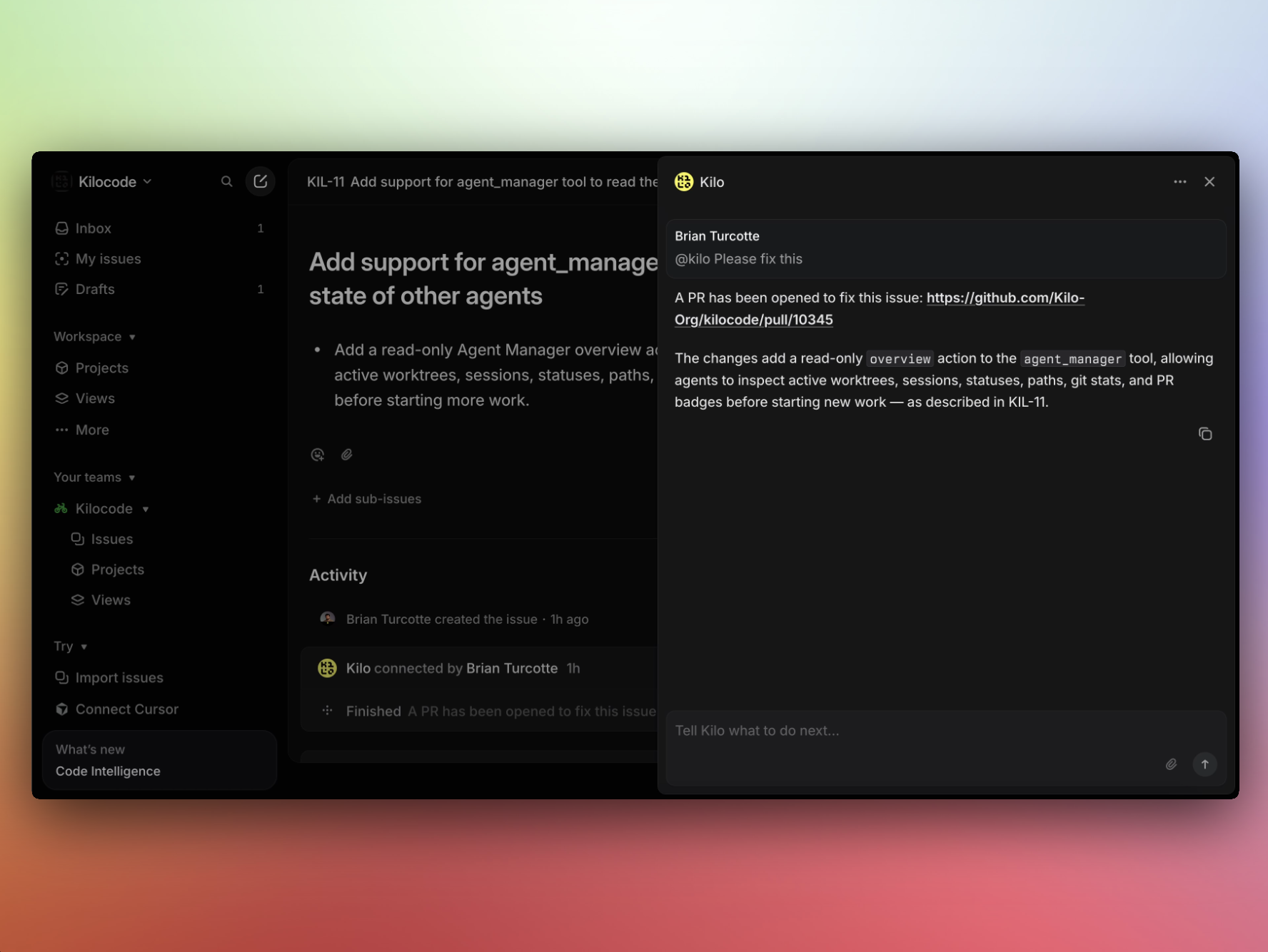
Fix issues from Linear
Tag the bot on any Linear issue and tell it to implement the fix:
@kilo please fix
The bot will:
- Read the issue title, description, and comments
- Spin up a Cloud Agent to implement the solution
- Show a thinking/processing animation in Linear while it works
- Link the resulting pull request back to the issue
Apply changes across multiple repositories
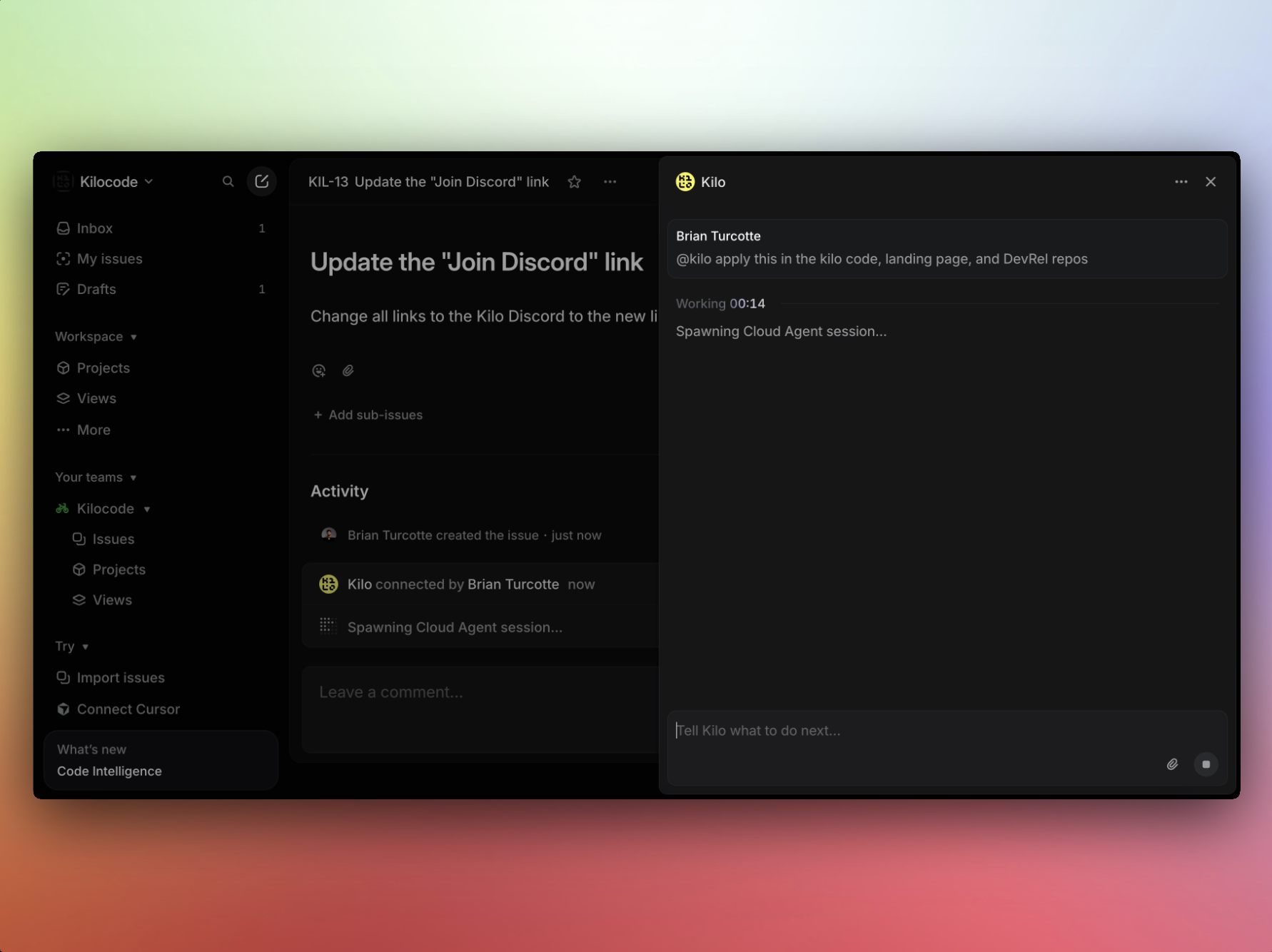
If a fix or upgrade needs to land in several repos at once:
@kilo please fix this in the cloud, landing, and handbook repos
The bot handles each repository independently, creating separate branches and pull requests for each.
Get help understanding an issue
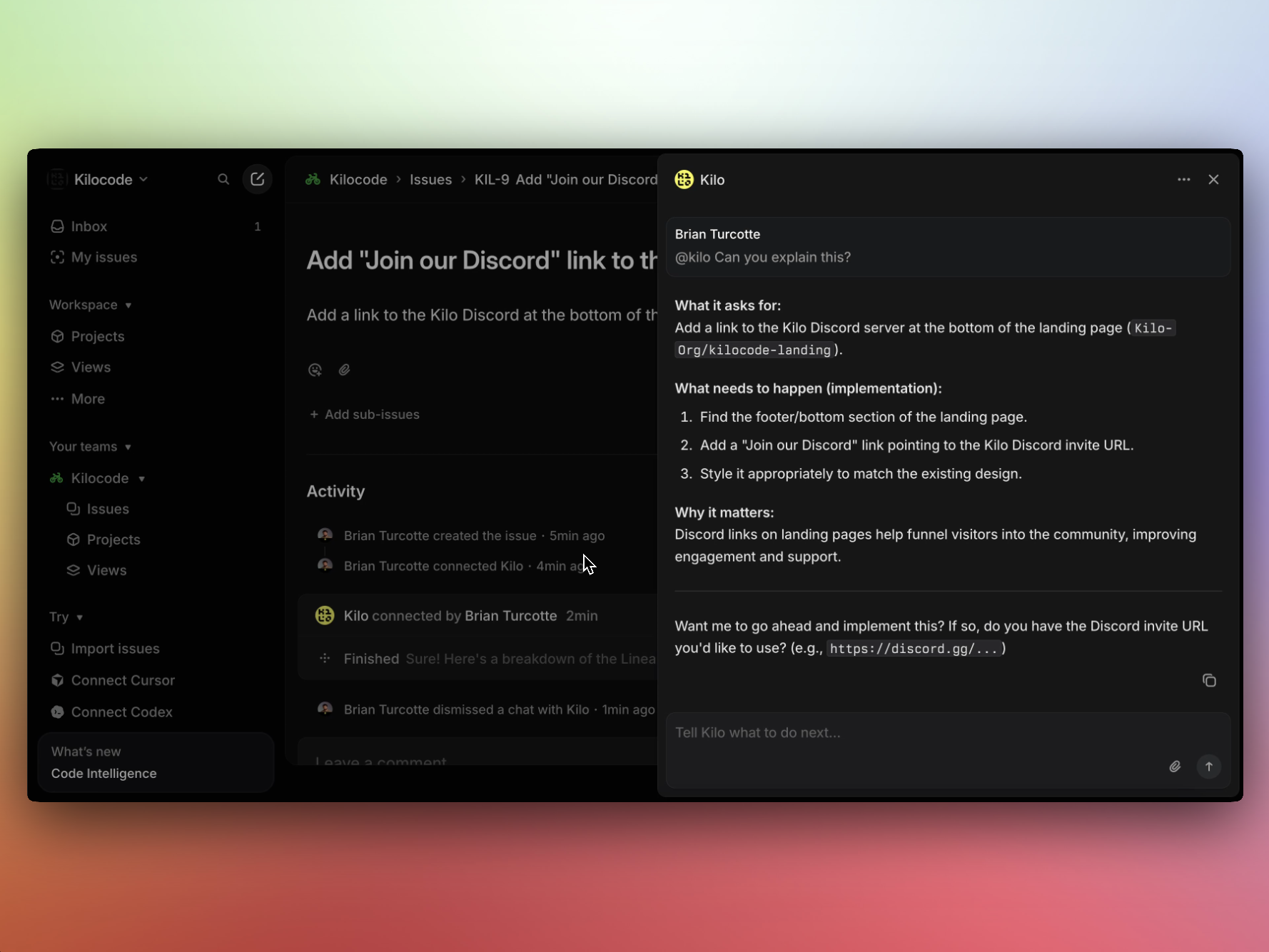
Before jumping into a fix, ask the bot to analyze the problem:
@kilo what could be the cause of this issue?
The bot examines the issue context and searches the connected codebase to surface likely causes.
How It Works
- Mention
@kiloin a comment on a Linear issue - Kilo reads the issue context — title, description, labels, and comment thread
- A Cloud Agent spins up to process the request (you'll see a thinking animation in Linear while this happens)
- Kilo responds with an answer or opens a pull request with the implementation
When Kilo creates a pull request, it links back to the Linear issue so everything stays connected.
Prerequisites
- A Kilo Code account with available credits
- Your GitHub or GitLab integration configured via the Integrations tab at app.kilo.ai
- Access to a Linear workspace where you can install integrations
Setup
- Go to app.kilo.ai and navigate to the Integrations tab
- Set up the Linear integration
- Authorize Kilo to access your Linear workspace
Once connected, @kilo is available as a mention in any issue across your Linear workspace.
Use Cases
Sprint Cleanup
Have a backlog of well-described bugs? Tag the bot on each one and let it work through them while you focus on higher-priority work.
Cross-Repo Upgrades
Need to upgrade a framework version or apply a config change across several services? Create a single Linear issue describing the change, then tell the bot which repos to update.
Issue Investigation
When a bug report is unclear or the root cause isn't obvious, ask the bot to analyze the issue before committing to a fix. It can search the codebase and surface likely problem areas.
Cost
Kilo Code credits are consumed the same way as any other Kilo interface. Credit usage depends on the model selected and the complexity of the task.
Tips for Best Results
- Write clear issue descriptions. The bot works best when the issue title and description give enough context to understand the problem and the expected outcome.
- Mention specific repositories if the change needs to land in more than one.
- Start with diagnosis for ambiguous issues. Ask the bot to analyze the issue before asking it to fix.
Troubleshooting
The bot isn't responding to mentions. Confirm that the Linear integration is set up in the Integrations tab at app.kilo.ai and that the bot has access to your workspace.
The bot can't access the repository. Make sure your GitHub or GitLab integration is configured and that the relevant repositories are authorized.
The pull request doesn't match what I expected. Provide more detail in the issue description, or comment with additional context before asking the bot to fix.