Quick Start
This guide walks you through creating your first town, connecting a repository, and watching agents work on real code.
Prerequisites
- A Kilo account (free tier works)
- A GitHub repository you want agents to work on
- A GitHub Personal Access Token (recommended)
1. Create a Town
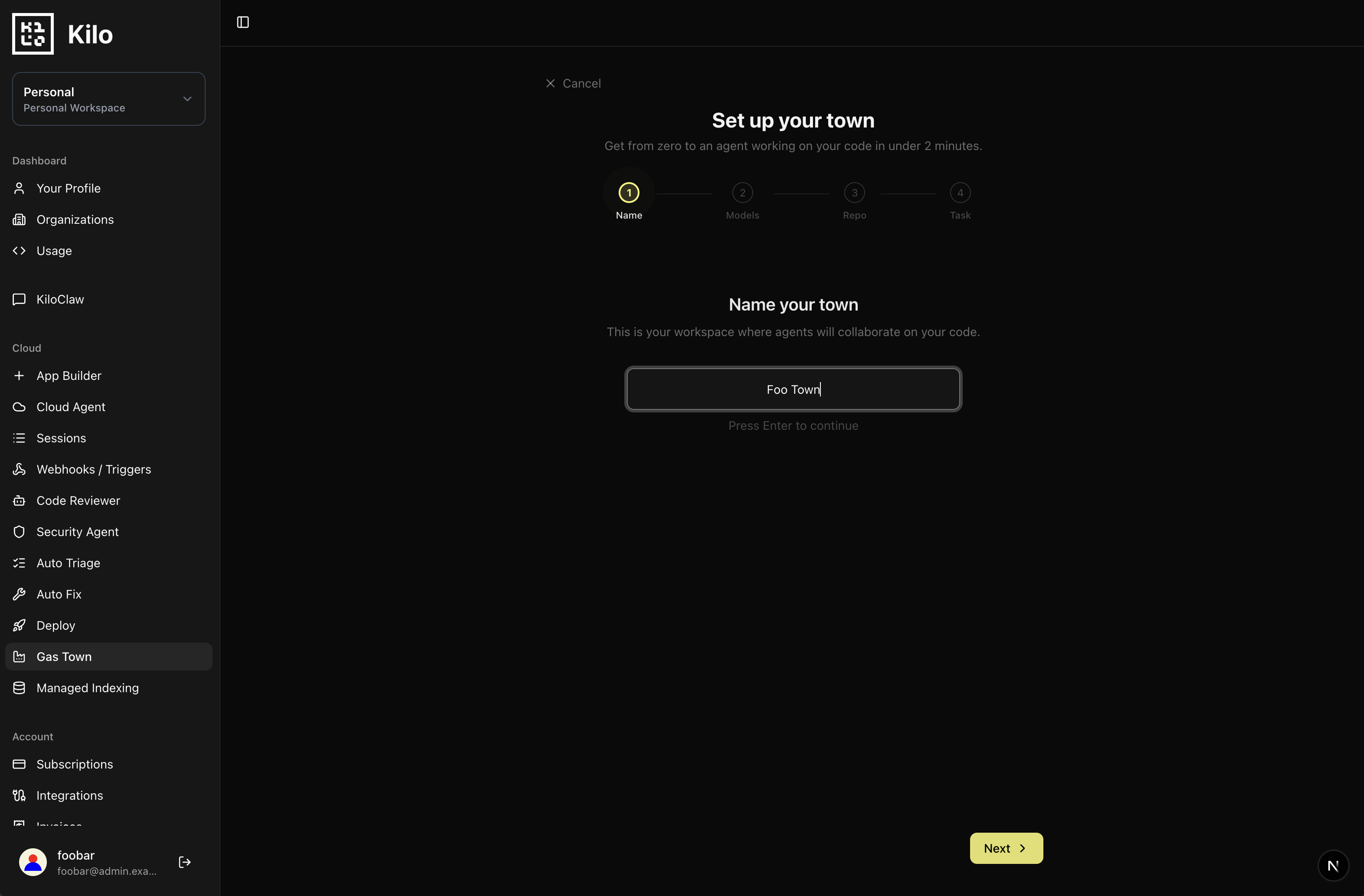
When you first visit Gas Town with no existing towns, you'll be taken directly into the new town onboarding flow. Give your town a name — this is just for your reference.
2. Connect a Repository
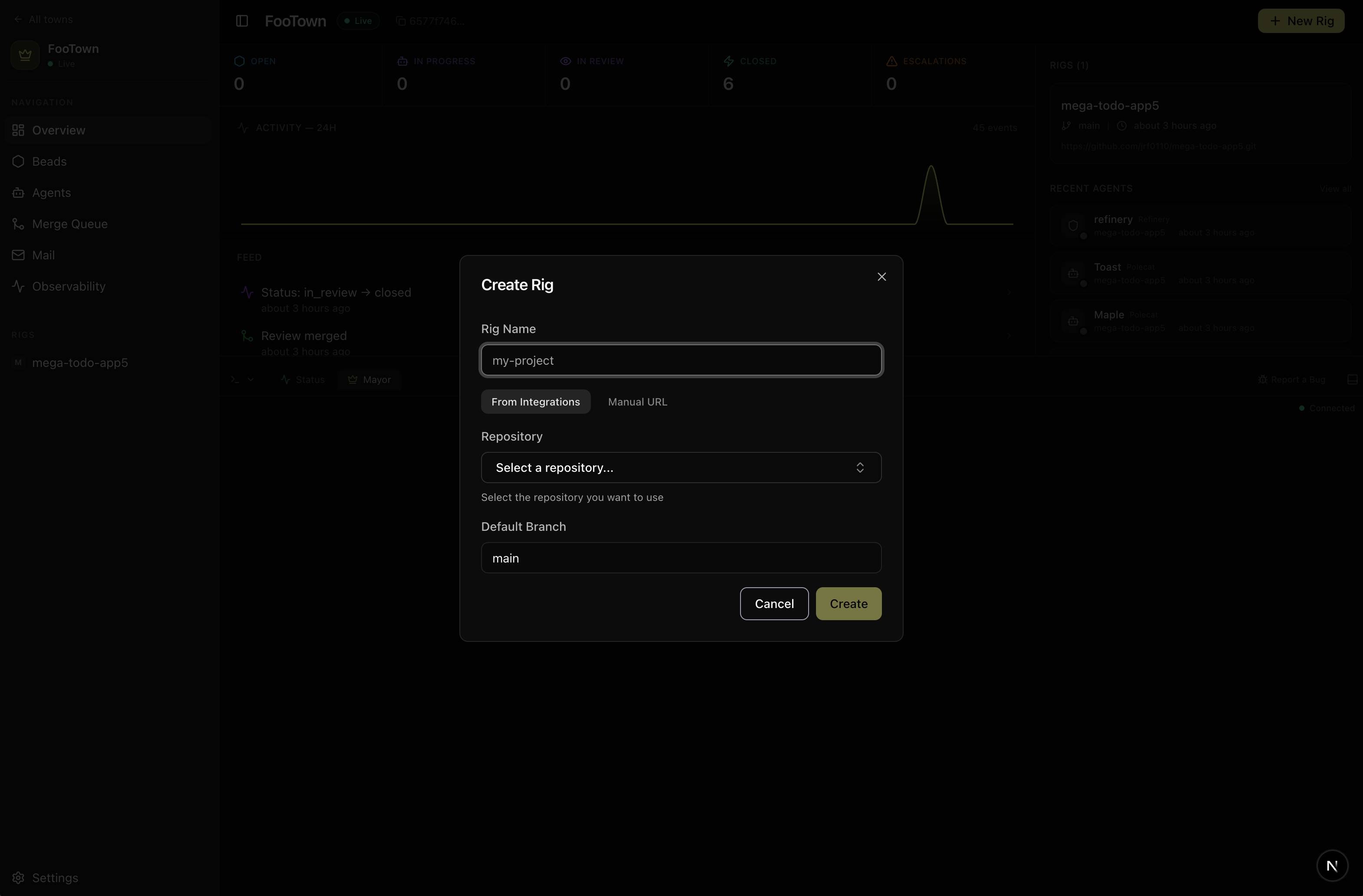
Add a rig to your town. A rig is a connection to a specific repository.
- Click Add Rig
- Select your GitHub repository (or paste the URL)
- Choose the default branch (usually
main) - Click Connect
Gastown uses the Kilo GitHub App to access your repository. You'll be prompted to install it if you haven't already.
3. Add a GitHub Personal Access Token
Adding a GitHub PAT means all commits, branches, and PRs created by your town's agents will appear as you — not a bot account. It also enables agents to use gh CLI commands (creating issues, commenting on PRs, etc.) on your behalf.
- Go to Town Settings → Git & Authentication
- Generate a fine-grained personal access token scoped to the repository your town is connected to
- Required permissions: Contents (read/write), Pull requests (read/write), Metadata (read)
- Optional: add Actions (read/write) if your repo uses GitHub Actions workflows
- Paste the token and save
Use a fine-grained token scoped to only the repository your town works on. Since agents act autonomously on your behalf, limiting the token's scope reduces risk.
Without a PAT, agents use the GitHub App installation token — functional but shows up as a bot in your git history.
4. Sling Your First Task
Now let's give the agents something to do. The easiest way is to ask the Mayor:
"Add a CONTRIBUTING.md file with basic setup instructions"
Or use the Sling Work action in the town header to describe the task directly.
5. Watch Agents Work
The reconciler assigns your task to an available polecat agent. Head to the rig page to watch it in action:
- A bead appears in the kanban board's open column
- It moves to
in_progressas a polecat picks it up - The agent reads your code, makes changes, and pushes a branch
- The bead moves to
in_reviewas the refinery checks the work - The refinery merges (or creates a PR depending on your settings)
- The bead lands in the
closedcolumn
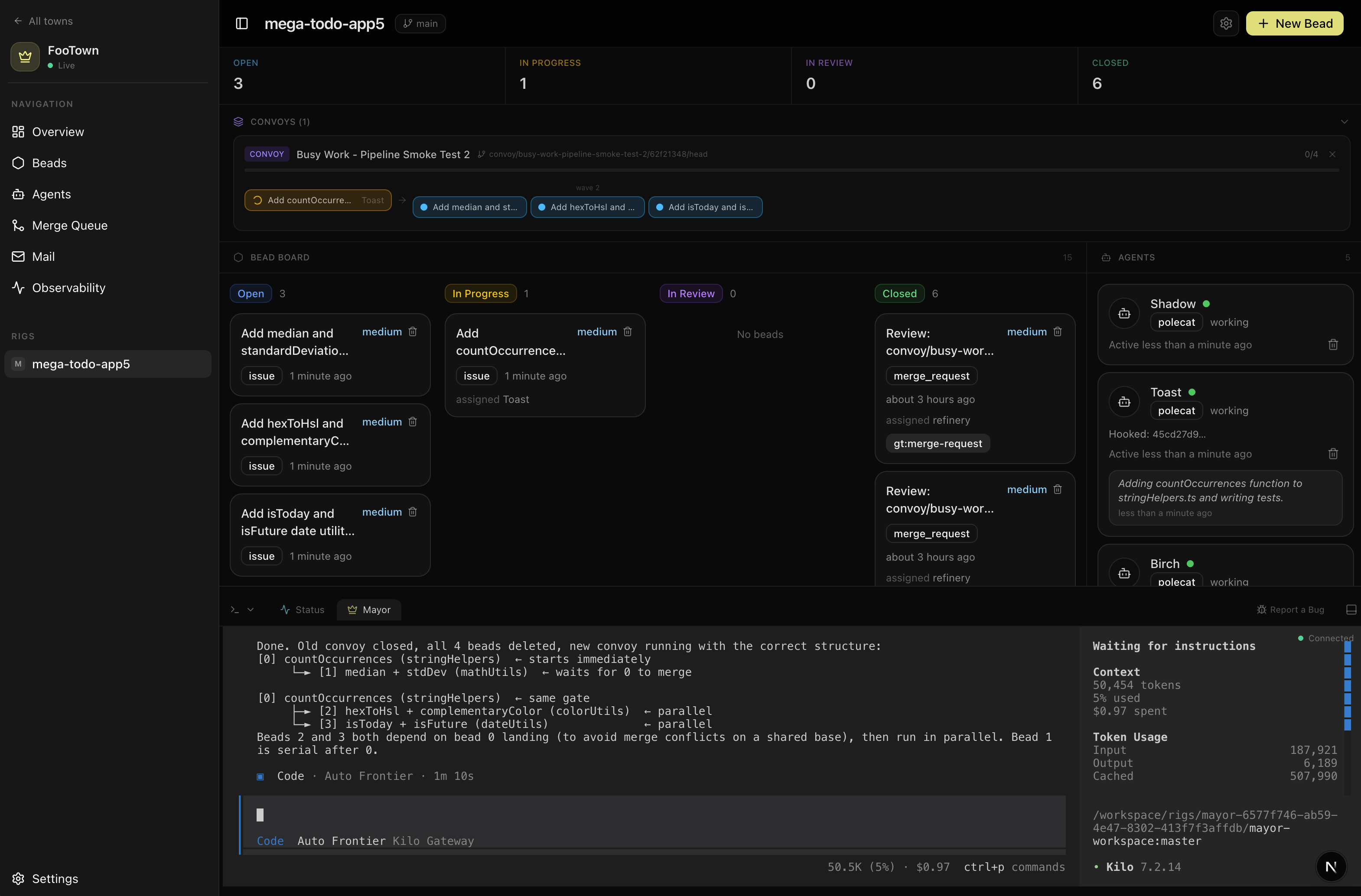
The whole cycle typically takes 2-10 minutes depending on complexity and the model you're using.
6. Talk to the Mayor
Click the Mayor chat to interact with your town's coordinator. Try:
- "What's the status of the town?"
- "Create a convoy to add unit tests for the auth module"
- "What settings should I change for faster reviews?"
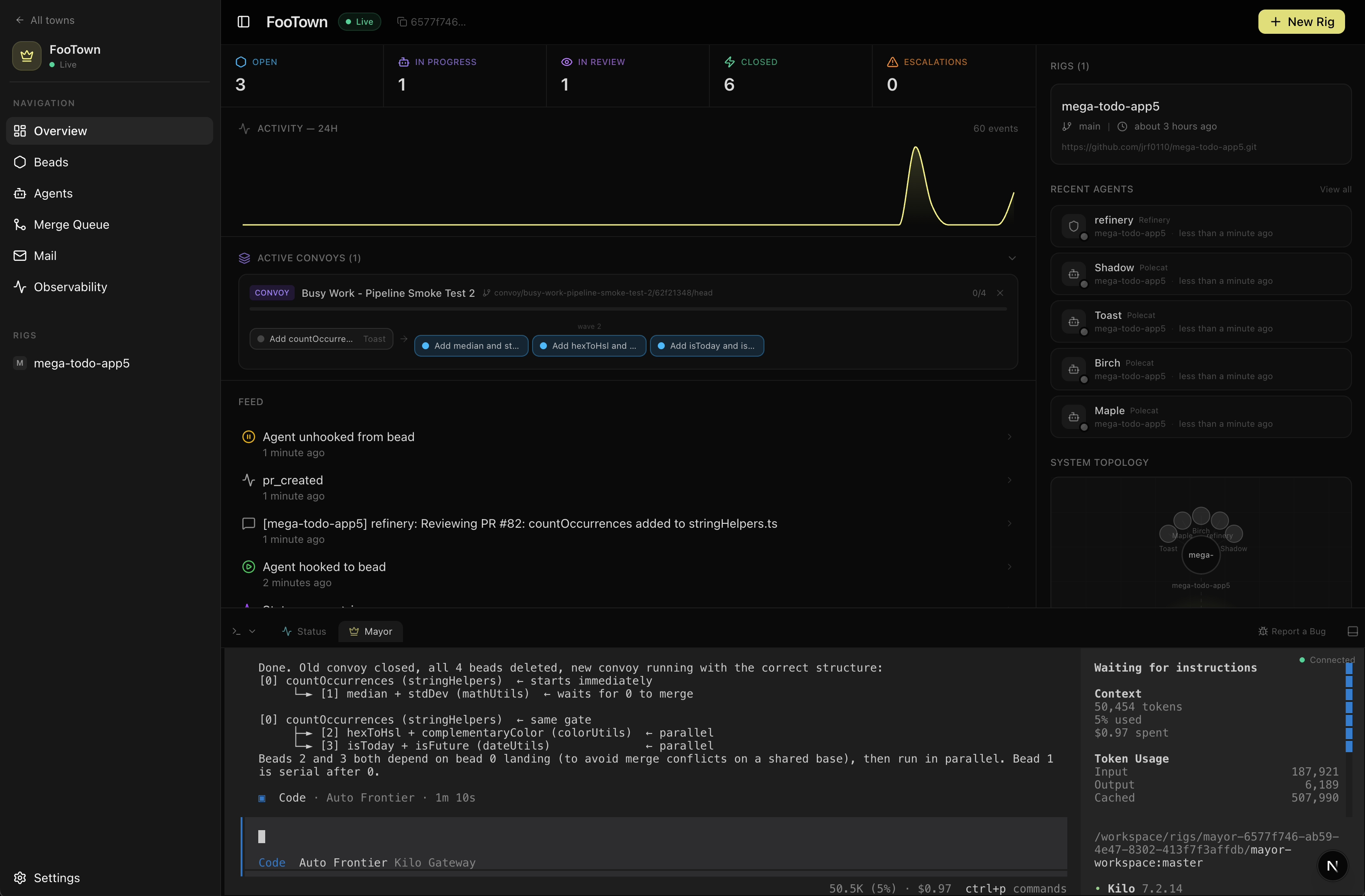
The Mayor is always running — it's your primary interface for managing the town conversationally.
What's Next?
- Concepts — Understand the building blocks in depth
- Sling Work — Learn about convoys and multi-step workflows
- Settings — Configure models, merge strategies, and agent behavior