The best open-source AI coding agent for VS Code
Trusted by developers at the world's most innovative companies
Kilo Code
End-to-End AI coding
Code with any model in VS Code, CLI, Cloud agents
Open source coding agent
The all in one agentic coding platform. Code smarter with AI that understands your codebase and works the way you do.
- VS Code, JetBrains, and CLI
- Specialized agents for every workflow
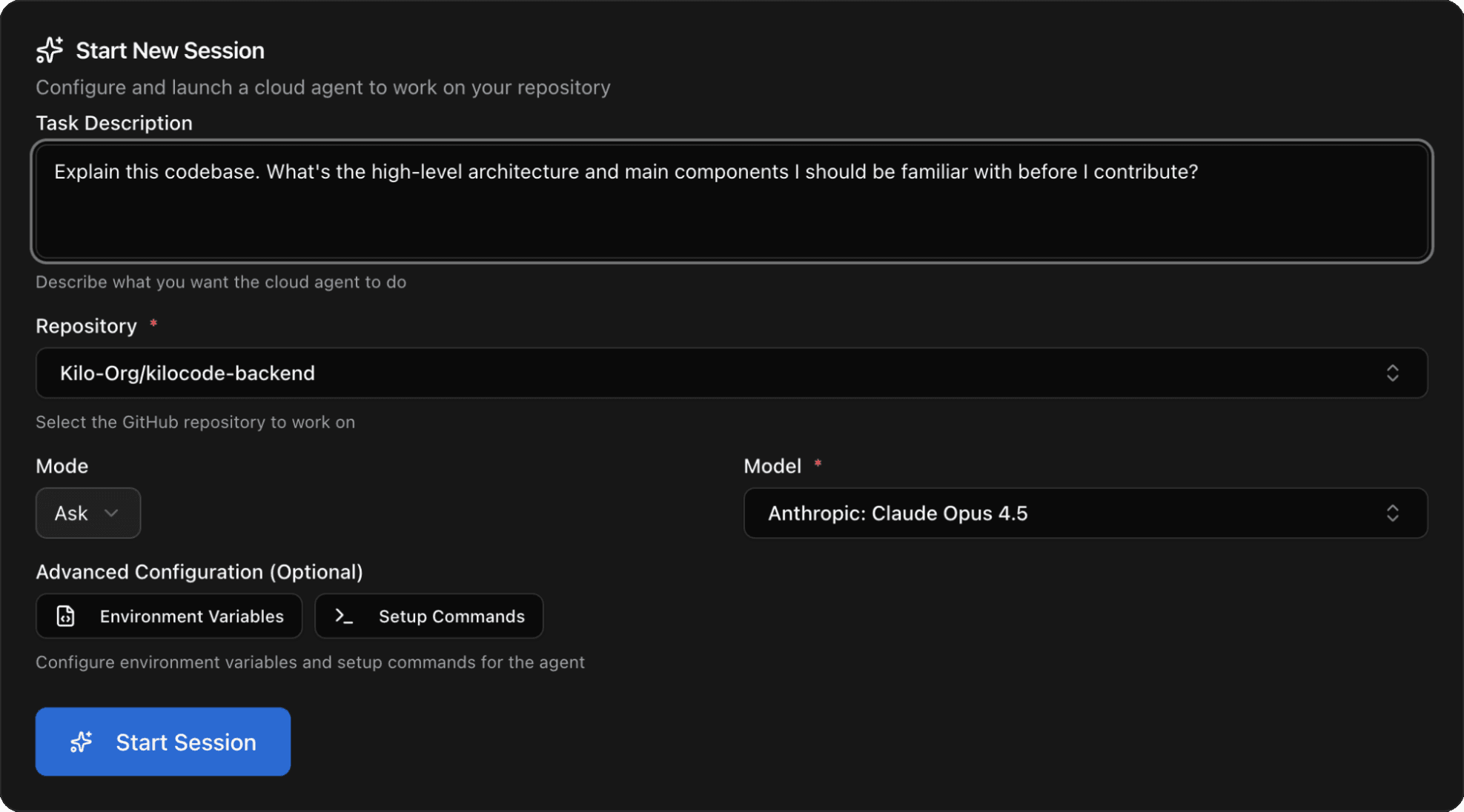
- Cloud agents and code review
- Open source, MIT license
Use Kilo Everywhere
Kilo works where you work. Build alone or with your team.
Why Kilo: The all-in-one agentic engineering platform
Stay in your flow
- Sync across every interface: Start a task on your mobile device and finish it in VS Code, JetBrains, or the CLI without missing a beat.
- Persist your context: Never lose state. Your session history, active agents, and variables follow you automatically across devices and environments.
- Open the black box: Kilo is open source so you can inspect, customize, and integrate to meet your specific needs.
- Ship without friction: Move from "commit" to "live" in one motion. Get AI code reviews and deployments without leaving your IDE.
1000x every dev
Reduce boilerplate coding time by 40%
- Multiply your output: Use agents with native sub-agent delegation and Code Review to plan, build, and audit simultaneously. Be everywhere at once.
- Externalize your context: Stop repeating yourself. Use Memory Bank to store architectural decisions and onboard the team automatically.
- Code at thought speed: Eliminate boilerplate. Use intelligent Tab Autocomplete to ship PRs faster than you can type them.
- Use the best model for the job: With 500+ models, you can control the right tradeoffs between latency, cost, context, and reasoning for each task.
Accelerate AI ROI
- Stop AI sprawl: Centralize usage to prevent shadow IT, security risks, and wasted credits before they spiral.
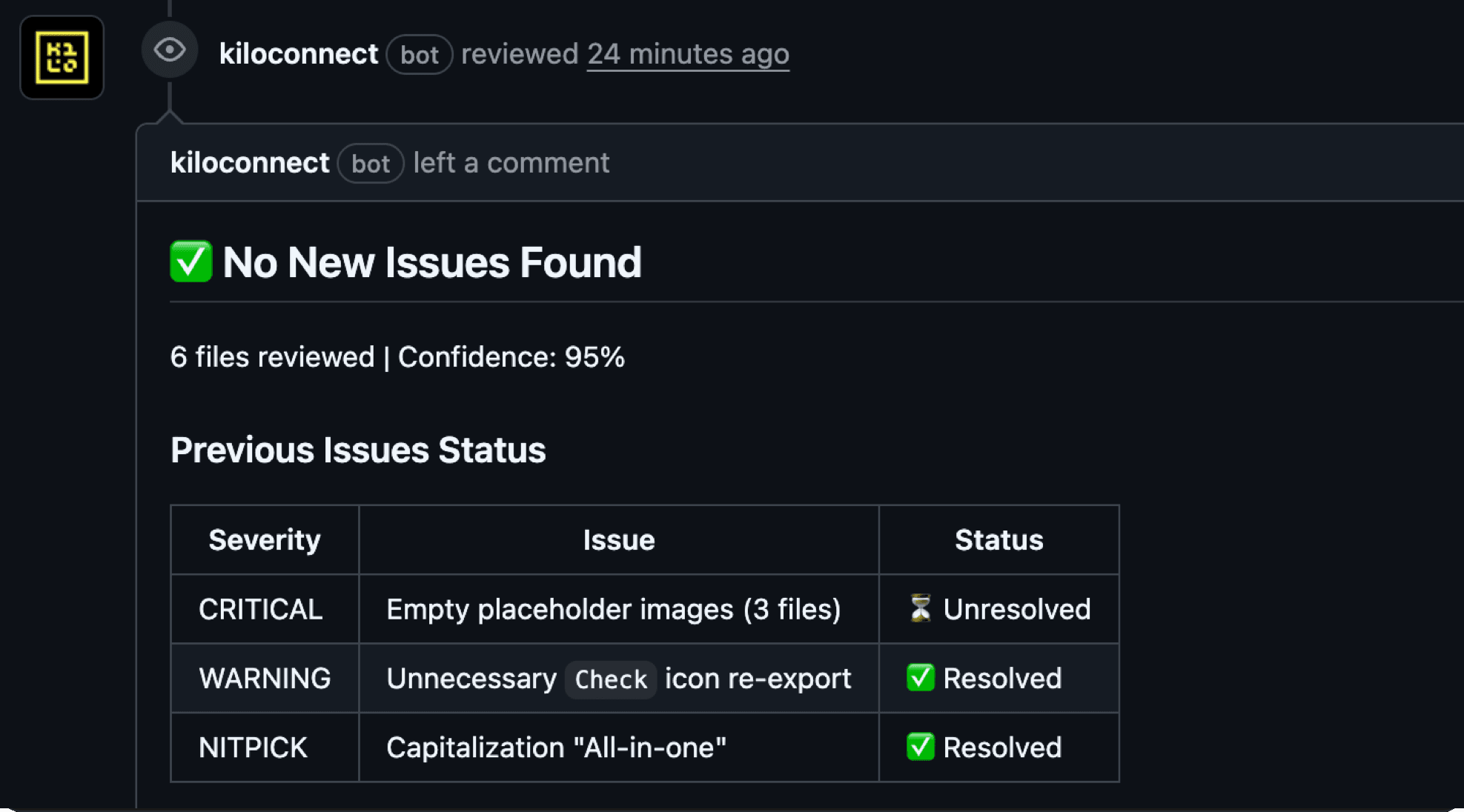
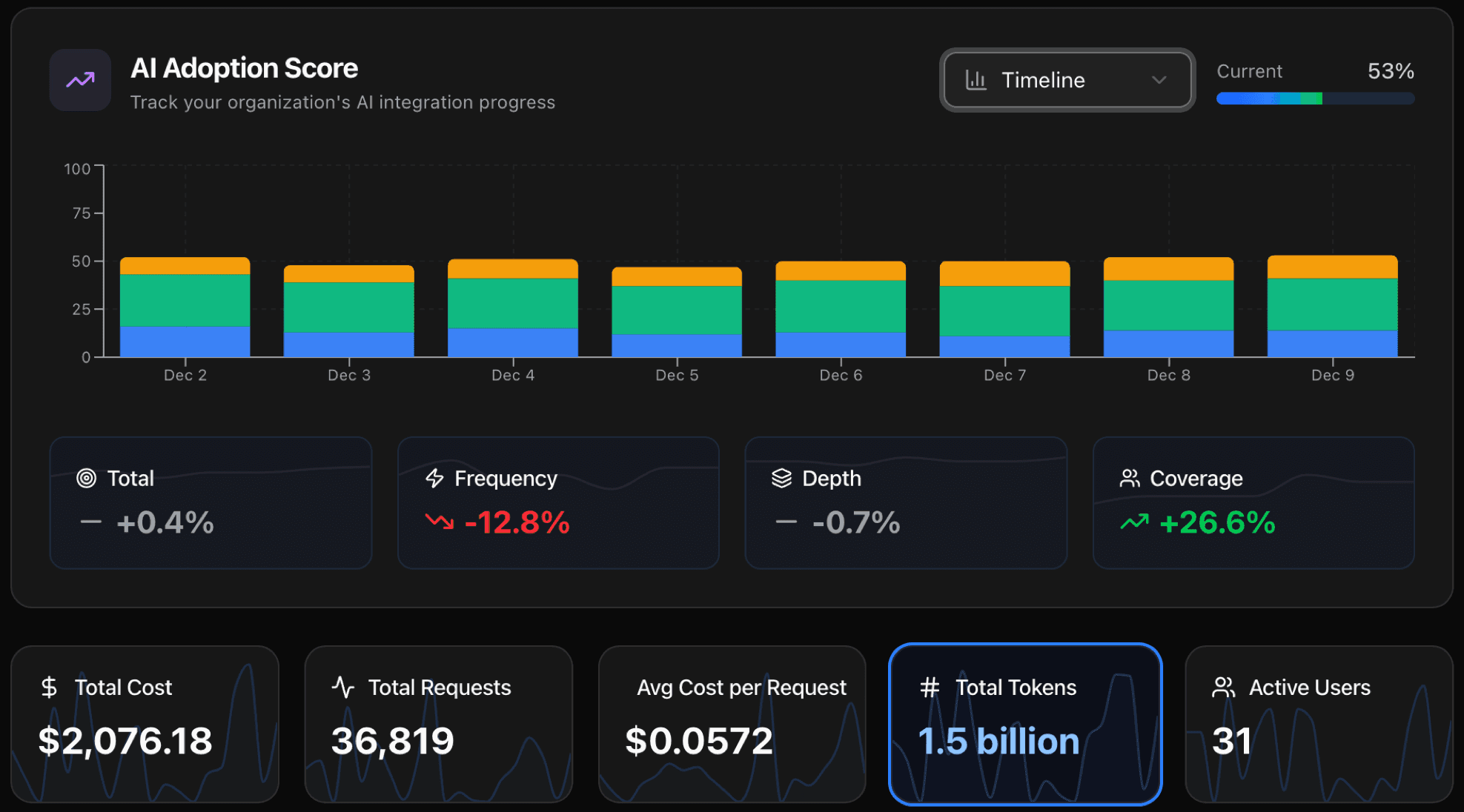
- Track and improve velocity: Use the AI Management Dashboard to track adoption rates, measure new hire speed, and prove ROI.
- Centralize management: Simplify administration with pooled credits, unified billing, and enterprise-grade data privacy controls.
- Duplicate your best devs: Capture individual "superpowers" into custom agents the whole team can use.
Agentic Engineering
Glide through your workflow with an agent for every step
Ask agent
A knowledgeable technical assistant focused on answering questions without changing your codebase
Features
Everything you need for agentic development
Browser Extension
A cloud AI agent that lives in your browser side panel, reads the page you are on, and acts on it — summarizing, analyzing data, and collecting information — using almost any model you choose.
Learn more →JetBrains Native Extension
A ground-up rebuild of the Kilo Code extension for JetBrains IDEs, delivering a truly native experience with deeper IDE integration and better performance.
View DocumentationKilo Code Android App
Run Cloud Agents, control desktop sessions, review pull requests, and respond to coding agents from Android.
Learn more →Kilo Code iOS App
Run Cloud Agents, control desktop sessions, review pull requests, and respond to coding agents from iPhone or iPad.
Learn more →Gateway
One API to access all AI models. Route requests to 500+ models from every major provider through a single unified endpoint.
Learn more →Cloud Agents
Run AI agents in the cloud without consuming local resources. Execute long-running tasks, complex workflows, and resource-intensive operations while your machine stays free for other work.
View DocumentationCode Reviews
Automated code review agents that analyze pull requests, suggest improvements, catch bugs, and ensure code quality standards. Get instant feedback before merging.
View DocumentationAgent Manager
Run multiple AI agents directly in your IDE. See GitHub PR status badges on worktrees, run scripts in-place, and use embedded terminal tabs — all without switching windows.
View DocumentationSessions
Start a Kilo Session in one place and seamlessly continue it on another platform. Your AI agents, context, and progress follow you across devices and environments.
View DocumentationVoice Prompting in the IDE
Use natural voice commands to interact with AI agents directly in your IDE. Speak your requests instead of typing, making AI assistance more accessible and efficient.
Learn more →Autocomplete in JetBrains IDEs
AI-powered autocomplete and code suggestions directly in your JetBrains IDE. Get intelligent code completions that understand your codebase and coding patterns.
View DocumentationAI Adoption Score
Track and measure your team's AI adoption effectiveness with comprehensive analytics. Understand usage patterns, identify opportunities, and optimize your AI-assisted development workflow.
Learn more →Auto Top Ups
Nothing breaks your flow like running out of credits mid-task. Available for individuals and organizations, enable Auto Top-Ups once and we'll automatically top up your balance whenever it runs low.
Learn more →Skills
Extend Kilo Code with skills. Skills are sharable packages of domain expertise, new capabilities, and repeatable workflows.
View DocumentationKilo Pass
Get up to 50% free credits on your AI subscription. Your monthly or annual payment converts 1:1 into paid credits, plus free bonus credits on top (bonus credits expire at month end).
Learn more →Kilo for Slack
Address Kilo directly in Slack to ask questions about your codebase, get code explanations, or create pull requests via cloud agents—all without leaving your team chat.
Learn more →Auto Model
Smart model routing that automatically selects the optimal AI model for each task. Choose from multiple tiers to balance cost and capability — no manual switching required.
View DocumentationSecurity Agent
Cut through the noise with AI-powered vulnerability analysis. Automatically validate exploitability against your codebase through sandbox testing and get automated fixes.
Learn more →Codebase Indexing
Semantic search across your entire codebase. Kilo builds a local index so the agent finds relevant code without you specifying files.
View DocumentationSession Forks
Fork a conversation at any message to explore alternate approaches without losing your original thread. Like git branches for your AI chats.
Learn more →PDF & Document Upload
Upload PDFs and documents directly to AI models for code review, analysis, or additional context. Feed specs, design docs, or research papers straight into your conversation.
Learn more →Install where you work
Kilo can be installed in the terminal to use via the CLI, in all VS-code based IDEs, and in all Jet-Brains editors.
Automatic failure recovery
Kilo automatically detects errors, runs test suites, and recovers on failure. Lost network mid-task? It pauses and resumes automatically when connectivity returns.
View DocumentationHallucination-free code
Kilo's MCP marketplace lets you add tools like Context7 that automatically look up library documentation, so your AI actually follows best practices instead of making stuff up.
View DocumentationContext is king
Kilo searches for the right context automatically. Mention @git-changes, @folder, or @terminal to add specifics, or drag-and-drop files directly into chat.
View DocumentationKickstart debugging
Have Kilo's Debug agent go through your codebase with a fine-toothed comb to find where a bug is coming from. No longer is it your job to do the most boring thing in programming.
View DocumentationOpen Models
Switch between 500+ custom, local, and frontier LLMs.
Open Pricing
Run AI where you want and pay as you go
Kilo Gateway, open & transparent
- Choose from more than 60 providers
- Use more than 500 models
- Pay the exact list price of Anthropic, OpenAI, and Google
- No markup on AI inference; card credit purchases carry a 5% processing fee
- Pay as you go, no subscriptions, no waste.
- No need to wait for a daily reset, no slow pool, no rate limits!
- Get Kilo Pass usage subscription - Get up to 50% bonus free credits on your AI subscription (optional)
Or use any alternative for AI inference
- Other Gateways (OpenRouter, Vercel, Requesty)
- Managed Services (AWS Bedrock, Azure OpenAI, Google AI Studio)
- Free, stealth, and budget models (Llama, Mistral, etc.)
- Fallback when you hit a quota limit with our virtual provider
- Bring your own API keys (BYOK) for any provider/subscription
- Run models locally (Ollama, LM Studio)
Open Source
Inspect, control, contribute
Coming to Kilo from Cursor? You're not alone

As seen in San Francisco
of Kilo Coders previously used Cursor
I switched my org to Kilo from Cursor. It ROCKS!
Recent posts
Read the latest news and updates from the Kilo Code team.
Decoding Anthropic’s IPO Filing for Builders
What does it mean for you?
Brian Turcotte·
MiniMax M3.1 Flash Is Free in Kilo for a Limited Time
The Space Bunny has been revealed
Ari Messer·
Everyone is a manager now
The future of technical writing and QA is building the systems where people and agents can produce good work.
Emilie Schario·
How I manage Google, Meta, Reddit and LinkedIn ads with Kilo Desktop
The follow-up to my Google Ads setup, now with more accounts and considerably more reporting.
Arkadiy Kondrashov·
Leaving Cursor? Kilo Enterprise is free for up to a year.
Cursor is cutting off other models. Kilo was designed around model freedom.
Brian Turcotte·
NVIDIA Nemotron 3.5 Super VL Is a Builder Just Like You
An open 120B vision-language model with 12B active parameters, built for hybrid work
Ari Messer·